
For Internet Service Providers (ISPs) and broadband operators, purchasing Mini UPS units is not simply about choosing a product with the right voltage or battery capacity.
A Mini UPS that works well with one router may not be suitable for another ONT, gateway, or CPE model. When hundreds or thousands of devices are involved, small compatibility issues can become installation problems, additional support requests, and unexpected project costs.
Before placing a bulk Mini UPS order, ISP procurement and technical teams should evaluate device compatibility, backup requirements, product configuration, and supplier support.
This guide explains the key factors to consider and how Soluciones MYLION Mini UPS can fit different broadband backup power projects.
1. Why Mini UPS Procurement Is Different for ISP Projects
Buying a Mini UPS for an individual router is relatively straightforward. Procurement for a broadband network involves more variables.
An ISP may operate several types of ONTs, routers, and gateways across different subscriber locations. Each device can have different power requirements, connectors, and installation conditions.
Selecting one Mini UPS model without checking these differences may create problems during deployment.
For ISP projects, a suitable backup power solution should address three priorities:
- Device compatibility:The Mini UPS must match the electrical and connection requirements of the intended equipment.
- Deployment consistency:The selected configuration should be practical for technicians to install across the planned device fleet.
- Procurement readiness:Product specifications, samples, accessories, documentation, and commercial requirements should be confirmed before ordering.
The objective is not necessarily to find one Mini UPS for every device. It is to select a manageable range of suitable solutions for the actual broadband equipment being deployed.
2. Start with Your Broadband Equipment Requirements
Before comparing Mini UPS models or requesting quotations, procurement teams should work with their technical departments to identify the equipment that requires backup power.
Check Voltage, Current, and Connectors
Many broadband devices use DC power, but their requirements are not identical.
For each ONT, router, or gateway, verify:
- Required input voltage
- Normal operating current and maximum current demand
- Connector dimensions and polarity
- Number of devices requiring backup
- Installation space and cable arrangement
These details help prevent a common purchasing mistake: selecting a Mini UPS based only on its advertised maximum output.
For example, a 12V Mini UPS with a higher maximum current rating is not automatically compatible with every 12V router. The device’s continuous load, startup behavior, connector, and power requirements must also be checked.
Define a Realistic Backup Time
Different ISP projects have different backup objectives.
Some operators need short-term backup for temporary power interruptions. Others may require longer operation during local outages.
However, battery capacity alone does not determine actual backup time. Connected equipment consumption, UPS efficiency, battery condition, and operating conditions can all affect the result.
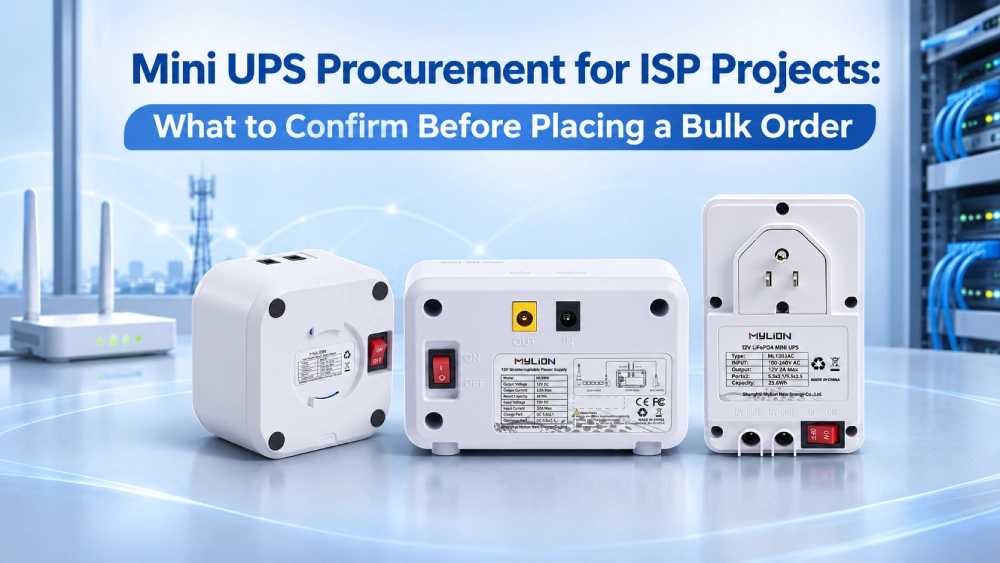
3. MYLION Mini UPS Options for ISP and Broadband Projects
MYLION offers different Mini UPS product directions for broadband and telecommunications applications.
Rather than selecting a product only by battery capacity, ISP buyers can begin by identifying the type of equipment and backup configuration required.
Modelo MYLION | Dirección del producto | Potential ISP Application |
MU68W | Mini UPS estándar de 12 V | ONT, ONU, router, and compatible 12V CPE backup |
MU35W | Higher-power 12V Mini UPS | Higher-load broadband gateways and routers |
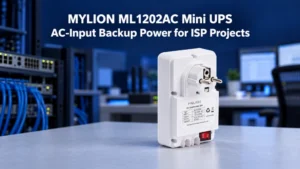
ML1202AC | AC-input Mini UPS with dual 12V outputs | Selected low-power ONT and router combinations |
MUJ46 | 12V DC and USB multi-output Mini UPS | Compatible 12V network equipment with USB-powered accessories |
MUC85 | Mini UPS USB-C PD | Compatible USB-C-powered routers and broadband CPE |
These models serve different power and installation needs. Final suitability depends on the connected devices, total output limits, connectors, and project requirements.
Standard 12V Broadband Backup: MU68W
El MYLION MU68W is a candidate for ISP projects using compatible 12V ONTs, ONUs, routers, and broadband CPE.
It can be considered when operators want to evaluate a standard 12V backup configuration across selected subscriber equipment.
Higher-Load Broadband Equipment: MU35W
Some gateways and advanced routers require more current than a standard Mini UPS configuration can provide.
El MYLION MU35W is positioned for higher-load 12V broadband equipment. It is worth evaluating when standard-output models do not provide sufficient continuous power capability.
AC-Input and Multi-Device Installations: ML1202AC
For projects using two low-power 12V devices, the MYLION ML1202AC offers an AC-input backup power configuration with dual DC outputs.
This arrangement may be suitable for selected ONT-and-router combinations, provided the combined load and electrical requirements are within the product’s approved limits.
For more product options, explore the Gama de mini SAIs MYLION o utilice el Comparativa de modelos de mini UPS to identify candidates for evaluation.
4. What Should ISP Buyers Verify Before a Bulk Mini UPS Order?
Once potential Mini UPS models have been shortlisted, the next step is to review technical and commercial requirements.
Procurement Item | What to Confirm Before Ordering |
Compatibilidad del dispositivo | Voltage, current, connectors, polarity, and startup load |
Backup performance | Required operating time under representative device loads |
Instalación | Dimensions, cable routing, mounting, and power connection |
Product configuration | Model version, accessories, labeling, and packaging |
Documentation | Current specifications and applicable test or compliance documents |
Quality consistency | Sample approval, production configuration, and inspection requirements |
Commercial terms | Project quantity, quotation, lead time, and delivery arrangements |
After-sales process | Warranty terms, issue reporting, and replacement procedures |
This checklist helps procurement managers compare supplier proposals beyond unit price.
A lower initial price may not provide better overall project value if installation requirements, product configurations, or support expectations have not been agreed upon.
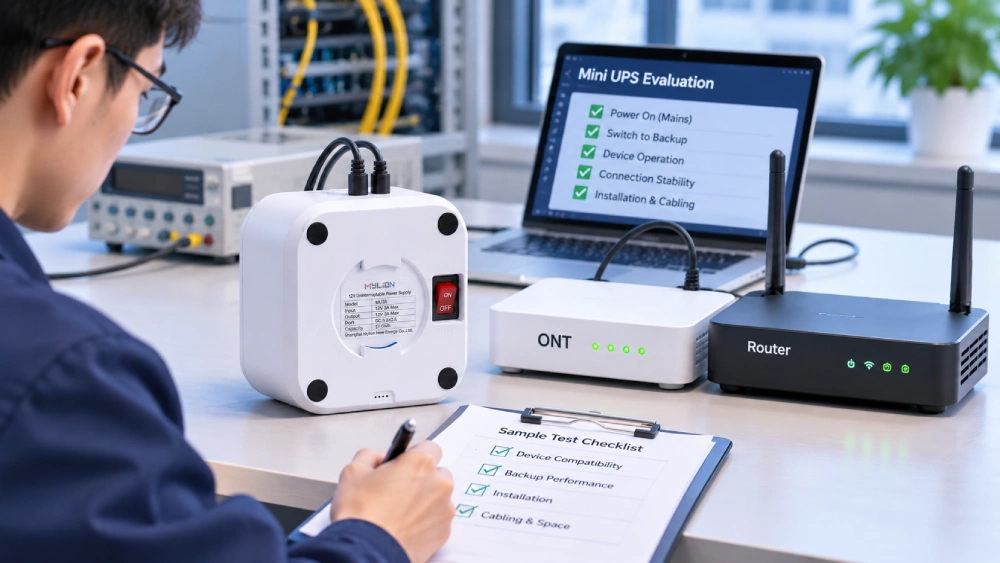
5. Sample Evaluation Before Bulk Deployment
Sample evaluation is an important step between selecting a Mini UPS model and approving a larger purchase.
For ISP projects, samples should be tested with the actual equipment expected in the field.
Test with Representative CPE Devices
Start with the ONT, router, or gateway models included in the deployment plan.
Check whether the Mini UPS delivers stable power under normal operation and during a simulated mains power interruption.
For configurations connecting multiple devices, test the complete load rather than individual devices separately.
Verify Installation Practicality
Technical compatibility is only part of the evaluation.
Installation teams should also check whether the product fits the intended location, whether cables can be connected correctly, and whether the final setup is easy to reproduce.
A suitable product should work within the practical conditions of the planned deployment.
Agree on the Approved Configuration
Before confirming the bulk order, both teams should establish which product version, connectors, cables, and accessories were included in the successful evaluation.
This creates a clear reference for the purchasing and production stages.
6. Evaluate the Supplier Beyond Product Price
For large ISP projects, supplier evaluation should cover both technical communication and commercial coordination.
An appropriate Mini UPS supplier should be able to help buyers clarify product specifications, identify suitable models, review sample requirements, and confirm the proposed supply configuration.
MYLION focuses on Mini UPS and DC backup solutions for broadband, telecom, and network equipment applications.
Its product range includes standard 12V Mini UPS models, higher-power 12V options, multi-output configurations, AC-input solutions, and USB-C PD products.
This gives project teams several product directions to consider depending on their equipment requirements.
Preguntas frecuentes
Q1. What should ISPs check before bulk ordering?
Q2. Can one Mini UPS support different routers?
Q3. Is a 12V 5A Mini UPS better than 12V 3A?
Q4. Should ISPs test samples before bulk orders?
Q5. Does MYLION offer OEM Mini UPS solutions?
Conclusión
Successful Mini UPS procurement for ISP projects starts with understanding the actual network equipment, not simply comparing battery capacities and unit prices.
By confirming compatibility, testing representative samples, and agreeing on technical and commercial requirements before ordering, broadband operators can make more informed purchasing decisions and reduce avoidable deployment risks.
MYLION ofrece Soluciones mini UPS for different broadband equipment and backup power configurations, giving ISP procurement and technical teams options to evaluate for their projects.


 Español
 English
 简体中文
 Deutsch
 Français
 Italiano