
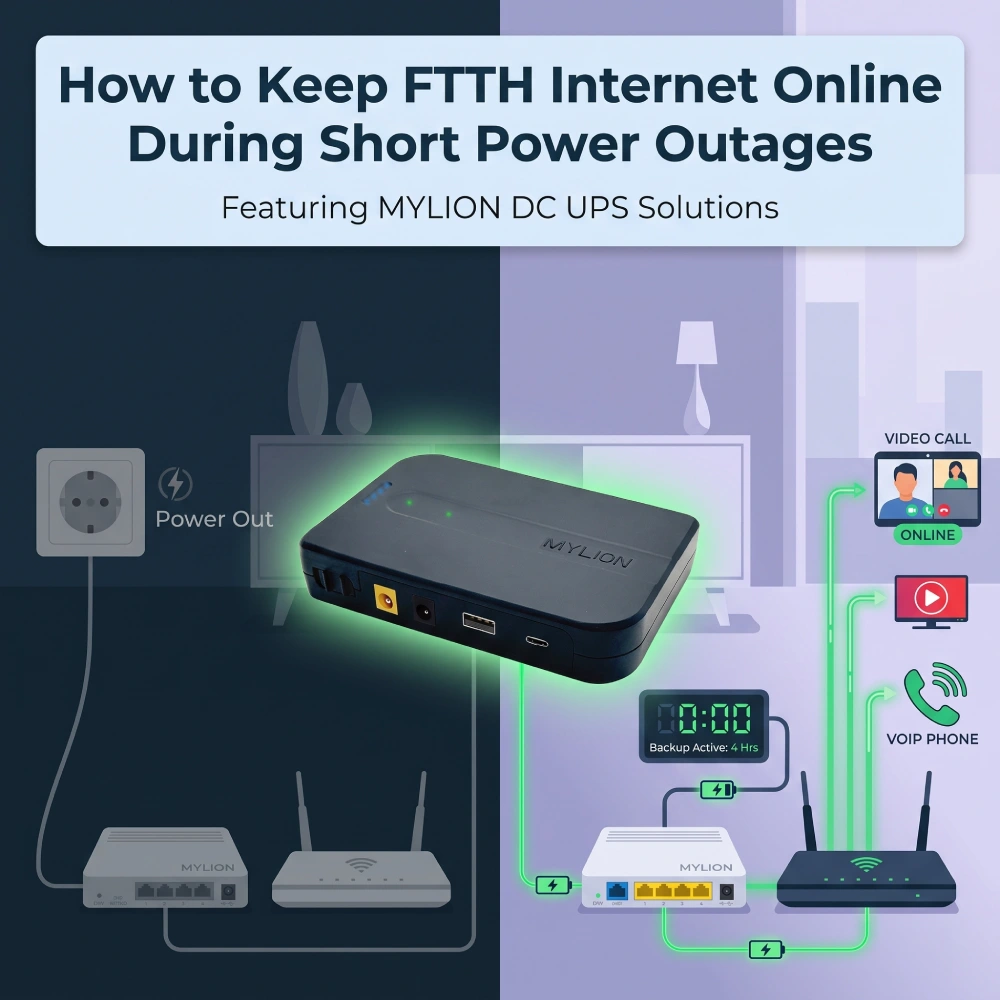
Introduction : Le risque caché des alimentations de secours de passerelle
La fibre optique jusqu'au domicile (FTTH) a révolutionné la connectivité haut débit, offrant des débits gigabit avec une fiabilité inégalée. Cependant, même les réseaux FTTH et FTTP les plus performants présentent une faiblesse fondamentale : ils dépendent entièrement du réseau électrique local.
Lorsqu'une coupure de courant tournante, une commutation du réseau ou une perturbation météorologique importante provoque une brève interruption de service, la ligne de fibre optique elle-même ne tombe pas en panne. C'est le CPE local qui s'éteint. Maintenir l'accès Internet FTTH en ligne pendant ces interruptions nécessite une stratégie d'alimentation ciblée et très efficace. Pour les FAI, les distributeurs et les responsables informatiques d'entreprise, le déploiement de systèmes dédiés est essentiel. Onduleur mini CC devient rapidement la norme du secteur.
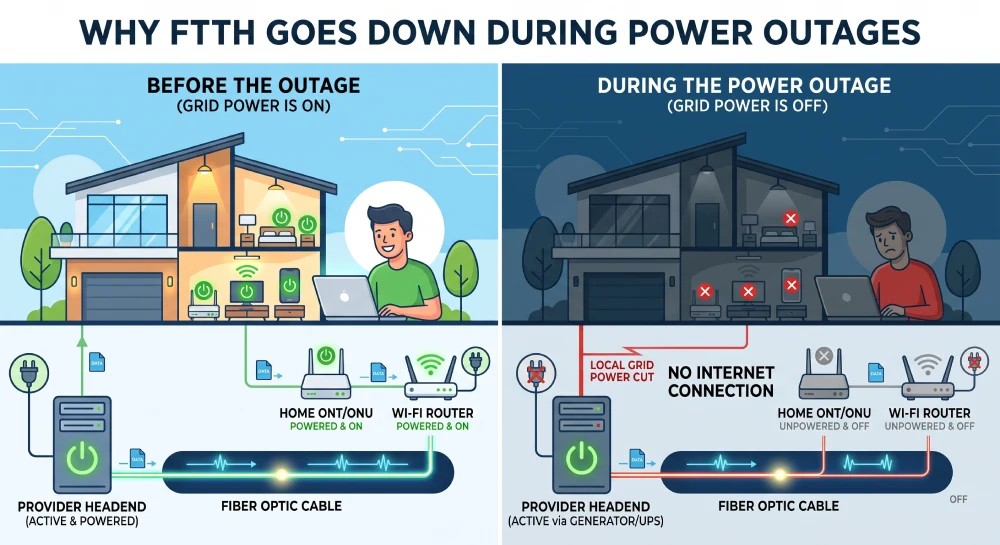
Pourquoi le réseau FTTH est-il interrompu lors des coupures de courant ?
Le problème de l'alimentation électrique du dernier kilomètre
Dans une architecture réseau FTTH, la fibre optique achemine les signaux lumineux jusqu'à votre domicile. Ce réseau optique passif (PON) ne nécessite aucune alimentation électrique pour la transmission de la lumière. La difficulté réside au niveau du point de terminaison : le terminal ONT ou ONU qui convertit les signaux optiques en signaux Ethernet électriques.
La plupart des ONT fonctionnent sur une alimentation de 12 V CC et consomment généralement entre 5 et 15 W selon le modèle et ses fonctionnalités. Un ONT GPON standard consomme environ 5 à 9 W en fonctionnement normal, avec une consommation de pointe pouvant atteindre 15,5 W. En cas de coupure de courant, ces appareils s'arrêtent immédiatement. La fibre optique reste active, mais les équipements nécessaires pour y accéder sont hors service.
L'effet d'entraînement sur les utilisateurs et les fournisseurs d'accès Internet
- Communications interrompues :Les appels VoIP, les réunions Microsoft Teams et les tunnels VPN sont immédiatement interrompus.
- Cycles de redémarrage longs : Même si le courant est rétabli en quelques secondes, un ONT et un routeur peuvent mettre entre trois et cinq minutes pour redémarrer complètement, établir une liaison avec le FAI et rétablir le routage IP.
- Failles de sécuritéLes caméras de sécurité connectées au cloud et les panneaux de contrôle d'accès intelligents perdent leur liaison montante avec les stations de surveillance centrales.
Pour les fournisseurs d'accès Internet, ces micro-pannes constantes entraînent une avalanche de demandes d'assistance de niveau 1 coûteuses de la part de clients qui croient à tort que leur service Internet est en cause, plutôt que leur réseau électrique local.
Solutions de secours traditionnelles vs. Mini-onduleurs CC dédiés
Historiquement, les entreprises et les utilisateurs exigeants s'appuyaient sur des alimentations sans interruption (ASI) classiques pour maintenir leurs équipements réseau en ligne. Bien qu'efficaces pour les baies de serveurs et les ordinateurs de bureau, les ASI classiques présentent des lacunes fondamentales lorsqu'elles sont utilisées avec des équipements FTTH à faible consommation.
Le problème d'inefficacité des onduleurs CA :
Les batteries de secours classiques stockent l'énergie sous forme de courant continu (CC) mais la restituent sous forme de courant alternatif (CA) pour s'adapter aux prises murales. Lorsqu'un routeur Wi-Fi est branché sur un onduleur, l'énergie subit une « double conversion » très inefficace. L'onduleur convertit le courant continu de la batterie en courant alternatif. Ensuite, l'adaptateur secteur du routeur reconvertit immédiatement ce courant alternatif en courant continu pour alimenter l'appareil. Ce processus de conversion redondant dissipe entre 20% et 30% de l'énergie de la batterie sous forme de chaleur. Par conséquent, un onduleur au plomb-acide, volumineux et lourd, ne pourra alimenter un routeur 12 V que pendant une heure ou deux.
L'avantage du mini-onduleur CC :
Un mini-onduleur CC dédié s'affranchit totalement de cette conversion. Il capte l'énergie du secteur, la stocke dans des cellules lithium-ion haute densité et fournit un courant continu pur directement à l'ONT et au routeur à la tension exacte requise (généralement 9 V ou 12 V).
Fonctionnalité | Onduleur traditionnel | Onduleur mini CC |
Conversion de puissance | CC-CA-CC | CC-CC |
Efficacité énergétique | Faible (~70-80%) | Très élevé (~95%+) |
Chimie des batteries | Batterie au plomb-acide lourd (SLA) | Lithium-ion à cycle élevé |
Empreinte | Encombrant, nécessite de l'espace au sol | Compact, se pose sur un bureau ou un mur |
Temps de transfert | 2 à 10 millisecondes | 0 millisecondes (transfert nul) |
Mini-onduleur CC moderne Ces unités offrent également un temps de transfert de 0 ms, ce qui signifie que les appareils connectés ne subissent aucune chute de tension, évitant ainsi les redémarrages et les interruptions de session PPPoE. Compactes et murales, elles sont conçues pour répondre aux exigences de tension spécifiques des équipements FTTH.
Comment Mylion Mini UPS relève le défi de la sauvegarde FTTH
Une solution spécialement conçue pour les télécommunications et le haut débit
Mylion s'est imposée comme spécialiste des mini-onduleurs et des solutions d'alimentation de secours CC pour les opérateurs télécoms, les fournisseurs d'accès Internet et les intégrateurs de systèmes. Contrairement aux fournisseurs de batteries génériques, Mylion organise sa gamme de produits par niveau de puissance, autonomie, type de déploiement, architecture de sortie et chimie de la batterie, facilitant ainsi le choix du modèle pour une utilisation concrète.
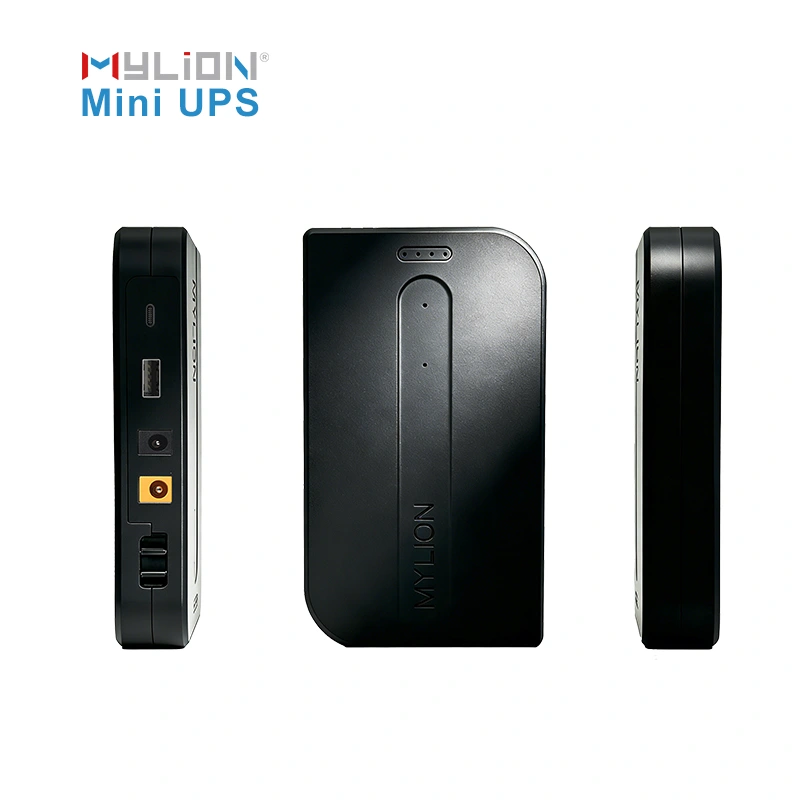
Principaux modèles d'onduleurs Mylion Mini pour fibre optique
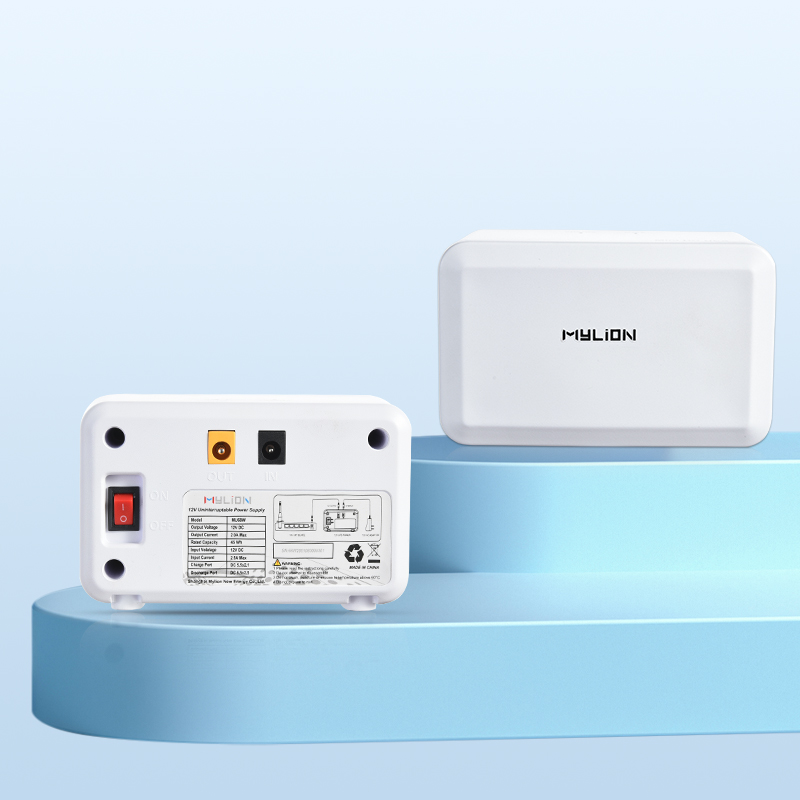
- Onduleur CC Mini MUJ46Conçu pour les réseaux locaux complexes, ce modèle peut fournir simultanément plusieurs tensions (par exemple, 5 V, 9 V et 12 V) ainsi que des ports USB. Il est particulièrement adapté aux petites entreprises où un ONT et un point d'accès Wi-Fi performant doivent rester opérationnels simultanément en cas de coupure de courant.
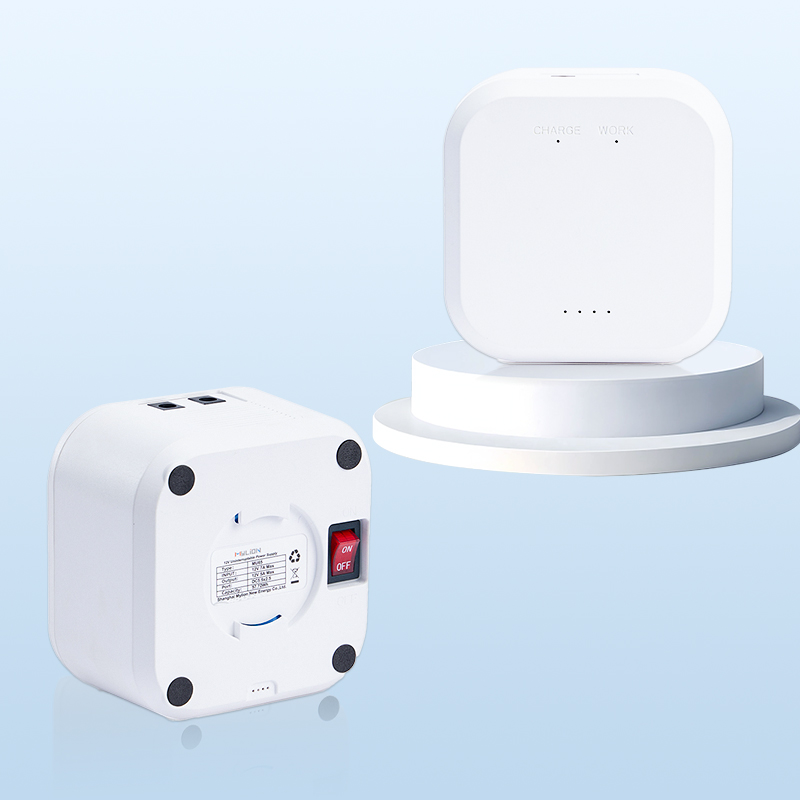
- Onduleur CC mini MU68Il s'agit souvent du point de départ recommandé pour les applications de secours haut débit 12 V courantes. Le MU68 fournit une tension continue de 12 V à 3 A maximum et dispose d'une batterie d'une capacité de 44,4 Wh. Avec une charge de 12 W (typique d'un ONT et d'un routeur basse consommation), il offre une autonomie d'environ 4 heures.
- Onduleur CC mini MU48– Une option plus compacte d'une capacité de 29,6 Wh, fournissant 12 V à 3 A. À une charge de 6 W, elle offre environ 6 heures d'autonomie ; à 12 W, environ 3 heures. Ce modèle est idéal pour l'alimentation de secours d'un seul appareil ou pour les installations FTTH à faible consommation.
- Onduleur CC mini MU35Pour les besoins en puissance plus élevés ou les configurations multi-appareils, le MU35 fournit 12 V à 5 A avec une batterie d'une capacité de 77,7 Wh. Il peut alimenter un appareil de 6 W pendant 13 à 14 heures ou un appareil de 12 W pendant 4 à 5 heures. Ce modèle prend en charge l'alimentation simultanée de deux appareils ou plus.
Avantages des batteries au lithium
Tous les mini-onduleurs Mylion utilisent des batteries lithium-ion ou LiFePO₄. Comparées aux batteries plomb-acide traditionnelles, les batteries lithium offrent plusieurs avantages essentiels pour le déploiement de la fibre optique jusqu'au domicile (FTTH) :
- Durée de vie du cycle plus longue– Les batteries LiFePO₄ atteignent plus de 2000 cycles, contre 2 à 3 ans pour les batteries au plomb-acide.
- Aucun entretien– Aucun test ou arrosage périodique requis
- facteur de forme compact– Beaucoup plus petites et plus légères que les solutions plomb-acide équivalentes
- Tolérance aux températures plus étendue– Fonctionne de manière fiable dans les environnements chauds où les batteries au plomb se dégradent rapidement.
Protection et sécurité intelligentes
Les mini-onduleurs Mylion intègrent des mécanismes de sécurité complets : protection contre les surcharges, les décharges excessives, les courts-circuits et la surchauffe. Leur boîtier est en ABS ignifugé et les modèles à puissance élevée sont équipés d’un système de refroidissement silencieux par ventilateur pour une dissipation thermique optimale.
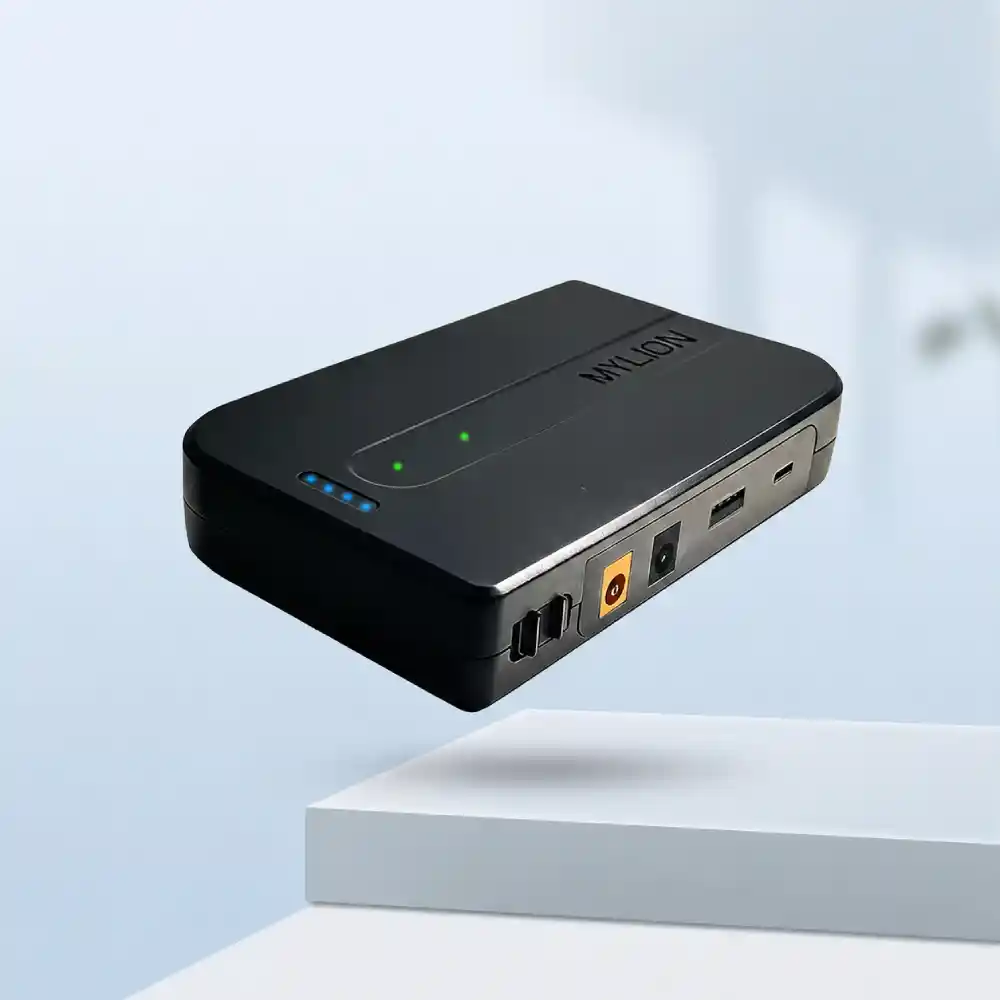
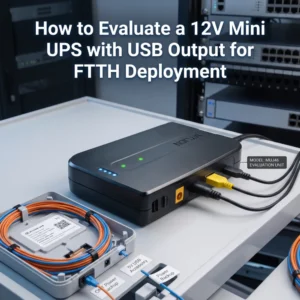
Mini-onduleur MUJ46
Onduleur miniature MU48

Mini-onduleur MU68
Mini-onduleur MU35
Comment choisir et installer le mini-onduleur adapté à votre installation FTTH
Déploiement d'un Solution Mini UPSQue ce soit pour un bureau à domicile ou pour un millier de postes de travail en entreprise, l'installation d'un système Mylion nécessite une bonne compréhension de la gestion de l'alimentation. Voici comment le configurer et l'installer.
Étape 1 : Identifier les exigences de votre appareil
Examinez les étiquettes du fabricant à l'arrière du modem fibre (ONT) et du routeur Wi-Fi. Vous y trouverez deux valeurs : la tension (V) et l'intensité (A). La plupart des équipements FTTH fonctionnent en 12 V CC avec une intensité comprise entre 0,5 A et 2 A.
Étape 2 : Sélectionner le bon modèle
Pour vous assurer que l'onduleur Mylion Mini UPS choisi peut supporter la charge, multipliez les volts par les ampères pour trouver la puissance en watts.
- ONT : 12 V × 1,0 A = 12 watts
- Routeur : 12 V × 1,5 A = 18 watts au total
- Charge : 30 watts.
Vous devrez choisir un modèle Mylion d'une puissance de sortie maximale d'au moins 30 W afin d'éviter toute surcharge des circuits de l'onduleur.
- Pour la plupart des installations FTTH résidentielles avec un seul ONT et un routeur, le MU68 ou le MU48 offre une capacité de secours suffisante.
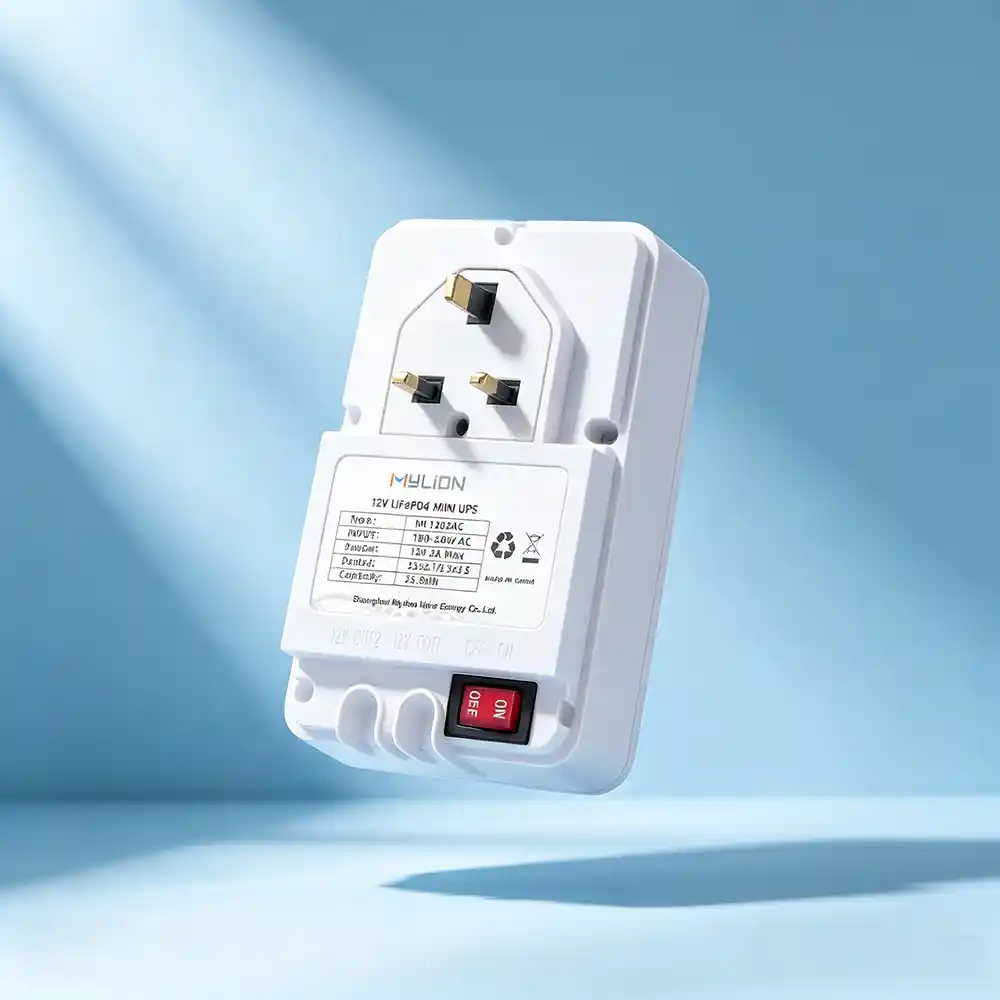
- Pour les scénarios nécessitant une puissance plus élevée ou une alimentation de secours à deux appareils, le MU35W ou des modèles comme le ML1202AC (LiFePO₄, double sortie 2A) sont appropriés.
Étape 3 : Installation simple et rapide
Les mini-onduleurs Mylion sont conçus pour une installation sans configuration. Il suffit d'insérer le mini-onduleur entre l'adaptateur secteur d'origine et l'appareil.
L'onduleur se recharge lorsque l'alimentation secteur est disponible et bascule automatiquement en mode batterie en cas de panne de courant, avec un temps de transfert de 0 ms qui assure le fonctionnement continu de l'ONT et du routeur.
Étape 4 : Envisager les scénarios à deux appareils
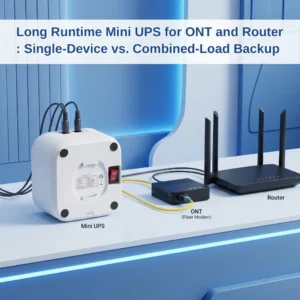
Si vous devez alimenter à la fois l'ONT et le routeur, vous avez deux options : un seul Mini UPS à double sortie, tel que le ML1202AC, ou un Mini UPS 5A de plus grande capacité, tel que le MU35.
- Branchez le Mini-onduleur ML1202ACBranchez-le directement à la prise murale secteur et insérez votre ONT et votre routeur dans des ports de sortie différents.
- Utilisez les câbles CC fournis (comprenant souvent un «Répartiteur en Y« pour alimenter simultanément deux appareils 12 V » pour connecter la sortie duMini-onduleur MU35 à votre ONT et à votre routeur.
Mini-onduleur ML1202AC
Mini-onduleur MU35
FAQ
Q1 : Combien de temps un onduleur Mylion Mini UPS maintiendra-t-il ma connexion Internet FTTH en fonctionnement pendant une panne ?
Q2 : Le mini-onduleur fonctionnera-t-il avec mon modèle ONT spécifique ?
Q3 : L’installation est-elle compliquée ? Ai-je besoin d’un technicien ?
Q4 : Comment le Mini UPS se compare-t-il à une batterie externe traditionnelle ?
Q5 : Que se passe-t-il lorsque le courant secteur est rétabli ?
Q6 : Les unités Mylion Mini UPS conviennent-elles aux déploiements à l’échelle d’un FAI ?
Conclusion
La fibre optique jusqu'au domicile (FTTH) offre des performances internet exceptionnelles, mais leur fiabilité dépend de la qualité de l'alimentation électrique de votre équipement chez le client. Une brève coupure de courant, qu'elle soit due à un orage, à une fluctuation du réseau ou à un déclenchement du disjoncteur, peut instantanément déconnecter votre ONT et votre routeur, mettant ainsi votre réseau hors service.
La solution est simple : installer un mini-onduleur CC dédié entre votre adaptateur secteur et votre équipement FTTH. Mylion Mini-haut de gamme CCS solutionVous bénéficiez ainsi de plusieurs heures d'autonomie, d'une commutation transparente en 0 ms et de la tranquillité d'esprit de savoir que votre connexion Internet reste en ligne lorsque vous en avez le plus besoin.
 Français
  English
  简体中文
简体中文  Deutsch
  Italiano
  Español