
Introduction
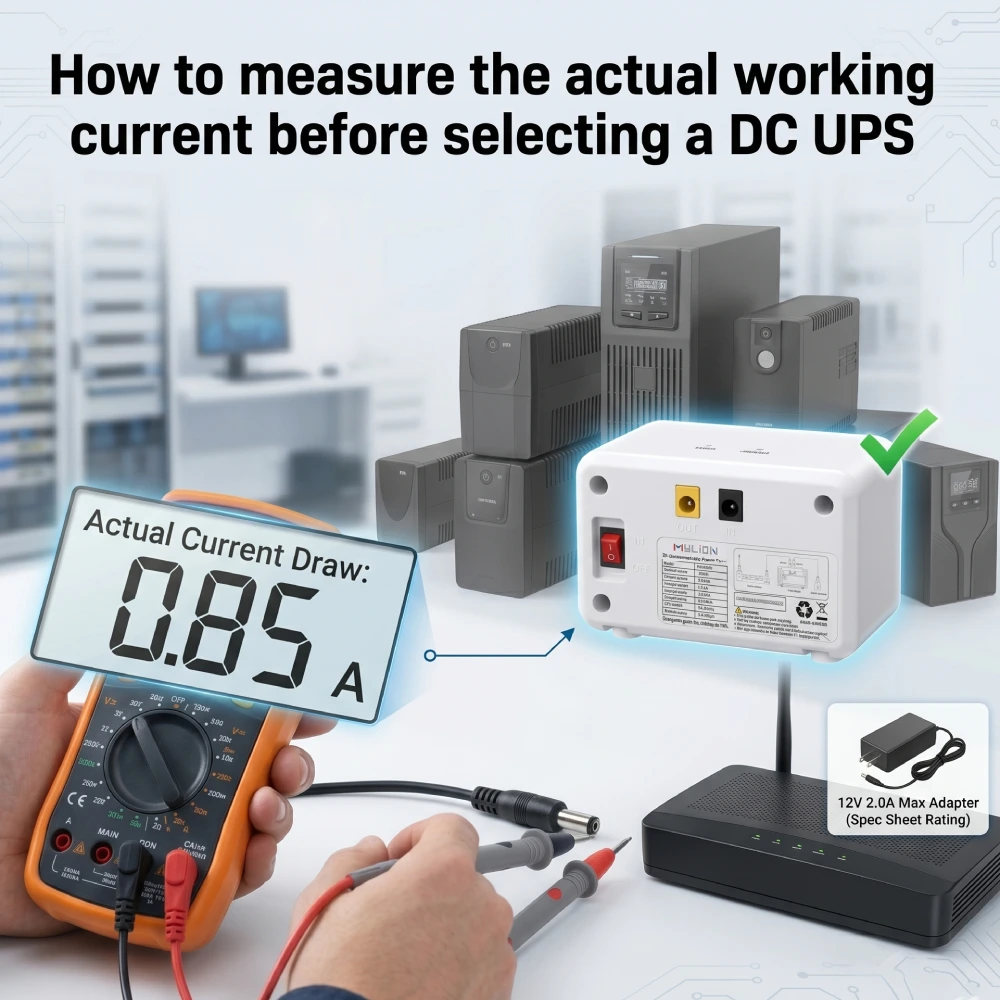
Lors de la spécification d'un Onduleur CC Pour les infrastructures réseau, l'une des erreurs les plus fréquentes consiste à estimer directement la consommation électrique des terminaux. De nombreux acheteurs consultent l'étiquette sur l'appareil existant. CA-CC Si l'on s'en tient à l'adaptateur secteur, on suppose que la valeur indiquée correspond à la consommation réelle et on choisit l'onduleur en conséquence. Cette approche conduit souvent à des systèmes sous-dimensionnés, susceptibles de tomber en panne lors des coupures de courant, ou à des unités surdimensionnées, engendrant un gaspillage de budget et d'espace.
Cet article présente trois méthodes pratiques pour mesurer la consommation réelle de courant continu, explique comment convertir ces mesures en besoins de capacité de secours et montre comment adapter vos résultats aux besoins appropriés. Modèle Mylion Mini UPS pour votre déploiement spécifique.
Pourquoi les évaluations des adaptateurs gaspillent les budgets des FAI
L'adaptateur secteur fourni avec votre routeur, votre ONT ou votre caméra de vidéosurveillance est généralement dimensionné pour le courant maximal que l'appareil pourrait consommer, et non pour le courant qu'il consomme réellement en fonctionnement normal. Cela crée un écart important entre « …courant nominal« et le courant de fonctionnement réel. »
Lors de l'évaluation d'un mini-onduleur pour les déploiements d'ONU ou les points d'accès périphériques, la consommation d'énergie fluctue :
- Régime permanent : courant de base consommé lors d’une transmission de données normale.
- Consommation de pointe : pic de courant transitoire lors des séquences de démarrage ou du débit de données maximal.
Les fabricants d'appareils fournissent des alimentations dont la puissance est nettement supérieure à la consommation réelle de l'appareil, pour des raisons de sécurité thermique. Un routeur Gigabit consomme en moyenne… 0,8A Dans des conditions réelles, il est souvent livré avec un 12 V / 2,0 A adaptateur.
Choisir un onduleur en se basant uniquement sur l'étiquette de l'adaptateur aboutirait à un système largement surdimensionné et plus coûteux que nécessaire.
Comprendre la relation entre le courant, la tension et la durée de l'autonomie
Avant toute mesure, il est essentiel de comprendre la relation fondamentale qui régit le choix d'un onduleur :
Puissance (W) = Tension (V) × Courant (A)
L'autonomie est déterminée par la capacité de la batterie (exprimée en wattheures ou en ampères-heures) divisée par la puissance consommée. Par exemple, un onduleur Mylion MU48 de 30 Wh alimentera un appareil 12 V consommant 1 A (12 W) pendant environ 2,5 heures. Ce même onduleur alimentant un appareil consommant 2,5 A (30 W) n'aura qu'une autonomie d'environ une heure.
C’est pourquoi mesurer le courant réel, et non se fier aux étiquettes, a un impact direct sur vos calculs d’autonomie. Une erreur de mesure de 0,5 A à 12 V représente une différence de charge de 6 W, ce qui peut se traduire par des heures de perte d’autonomie pour un déploiement de centaines d’unités.
Stratégies de mesure industrielle pour le déploiement de mini-onduleurs
Pour éviter toute incompatibilité matérielle, les ingénieurs en télécommunications doivent utiliser des protocoles de mesure stricts avant de sélectionner un châssis Mini UPS.
Méthode 1 : Mesure du courant en ligne (précision maximale)
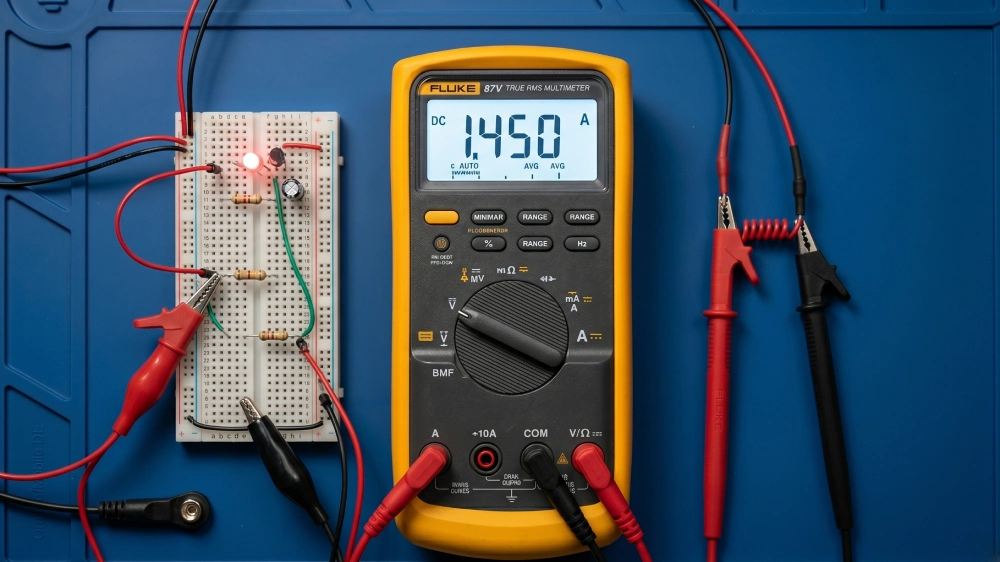
Un multimètre numérique (DMM) est l'outil le plus accessible et le plus précis pour mesurer le courant continu.
Procédure:
- Mettez hors tension le matériel réseau cible pour éviter les arcs électriques.
- Coupez le circuit CC entre l'adaptateur secteur et l'appareil.
- Branchez un multimètre numérique en série.
- Mettez le système sous tension et enregistrez les valeurs de référence.
- Déclenchez une charge de données importante (par exemple, un test de débit maximal) pour capturer le courant de pointe.
Plages de valeurs typiques pour les équipements courants :
Routeur Wi-Fi basique : 0,5–1,2 A à 12 V
ONT/ONU avec ports vocaux : 0,8–1,5 A à 12 V
Caméra de vidéosurveillance (non PTZ) : 0,3–0,8 A à 12 V
Routeur WiFi 6/7 haute puissance : 1,5–3,0 A à 12 V
Méthode 2 : Pinces ampèremétriques CC non invasives
Dans les environnements où toute interruption de service est inacceptable, la pince ampèremétrique CC est l'outil de prédilection. Ces appareils utilisent des capteurs à effet Hall pour mesurer le champ magnétique généré par le courant traversant un conducteur.
Pprocédure :
- Mettez le compteur à zéro avant de le fixer afin d'éliminer tout magnétisme résiduel.
- Serrez la mâchoire autour du conducteur et lisez le courant sur l'écran.
- Enregistrez les mesures lors de différents états de fonctionnement, comme avec la méthode du multimètre.
Les pinces ampèremétriques CC sont particulièrement précieuses pour les déploiements sur le terrain, où la mise hors service des équipements pour effectuer des mesures perturberait le service client.
Méthode 3 : Exploiter les fonctions de surveillance intégrées de l’onduleur
Certains onduleurs CC avancés intègrent des fonctions de surveillance et de rapport de courant. Les modèles Mylion Mini UPS sont dotés de systèmes de gestion de batterie (BMS) intelligents qui assurent la surveillance des cellules, l'estimation de leur état de charge (SOC) et l'équilibrage des cellules.
Bien que tous les modèles Mylion ne soient pas équipés d'un écran, certains modèles disposent d'écrans LCD affichant en temps réel l'état de la batterie et la consommation électrique. Pour les déploiements à grande échelle, ces fonctions de surveillance permettent aux opérateurs de suivre la consommation électrique réelle de centaines d'appareils sans mesure manuelle.
Le BMS offre également des fonctions de protection contre la surcharge, la décharge excessive, la surcharge, les courts-circuits et la surchauffe, garantissant ainsi la sécurité de l'onduleur et des équipements connectés pendant leur fonctionnement.
Comment calculer la capacité de secours requise à partir du courant mesuré
Une fois que vous avez mesuré le courant de fonctionnement réel, le calcul de la capacité de batterie requise est simple :
Capacité requise (Wh) = Tension (V) × Courant mesuré (A) × Temps de secours souhaité (h)
Par exemple, si vous mesurez un routeur 12 V consommant 1,5 A et que vous avez besoin de 2 heures d'autonomie :
- Puissance requise = 12 V × 1,5 A = 18 W
- Capacité requise = 18 W × 2 h = 36 Wh
- Avec une efficacité de 90% = 36Wh÷0,9 = capacité cible de 40Wh.
Points importants à prendre en compte :
- Pertes d'efficacité : Prévoir une marge de 10–15% pour les pertes de conversion CC-CC et les caractéristiques de décharge de la batterie.
- Courant de crête vs. courant permanent : basez votre calcul sur le courant de crête si l’appareil présente des surtensions importantes au démarrage ; sinon, utilisez le courant moyen.
- Effets de la température : les performances de la batterie se dégradent en cas de températures extrêmes. Si votre déploiement a lieu dans des environnements non climatisés, prévoyez une marge supplémentaire.
- Vieillissement des batteries : les batteries au lithium perdent de la capacité au fil du temps. Pour les déploiements à long terme, il est recommandé de prévoir un système tampon 20%.
Mylion fournit des estimations de temps d'exécution basées sur la charge réelle. Par exemple, MU68 Mini-onduleur Avec une capacité de 68 Wh, elle peut alimenter une charge de 12 W pendant environ 4 à 5 heures, une charge de 18 W pendant 2 à 3 heures et une charge de 24 W pendant 1,5 à 2 heures.
Adaptez votre courant mesuré à l'onduleur Mylion Mini UPS approprié
Mylion propose une gamme de produits structurée qui simplifie le choix du modèle une fois que vous connaissez votre consommation électrique réelle :
Modèle | Courant de sortie maximal | Capacité de la batterie | Applications typiques |
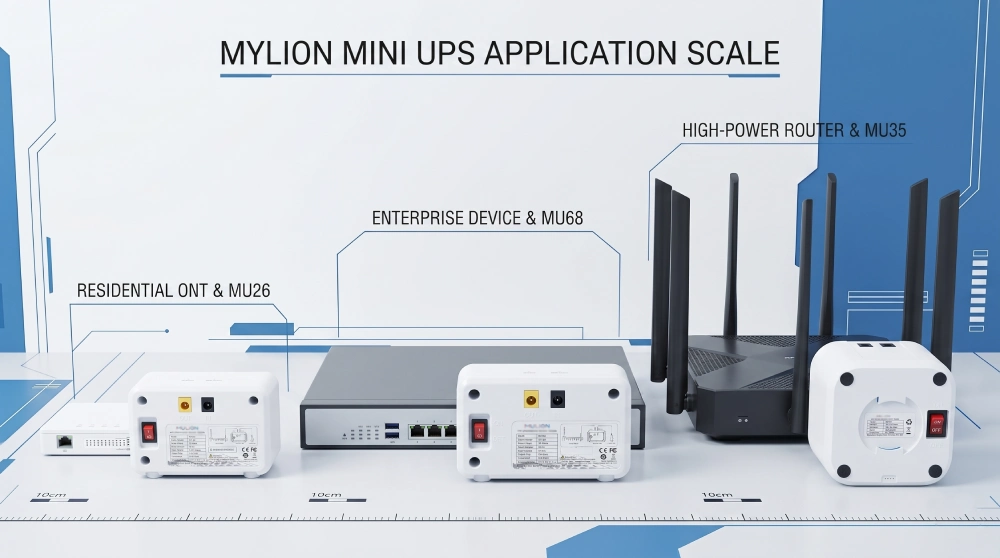
MU26 | 3A | 19,24 Wh | Petits routeurs, ONT, CPE, caméras de vidéosurveillance individuelles |
MU48 | 3A | 29,6 Wh | Routeurs double appareil, ONU/ONT, équipement FAI |
MU68 | 3A | 68 Wh | Dispositifs réseau d'entreprise, déploiements FTTH |
MU35 | 5A | 77,7 Wh | Routeurs haute puissance, passerelles, combinaisons Mesh |
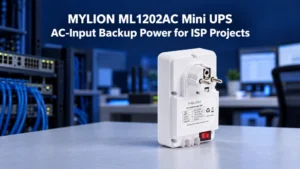
ML1202AC (LiFePO4) | 2A | 25,6 Wh | Applications à longue durée de vie, déploiements en extérieur |
MUC85 | USB-C PD 65 W | 92 Wh | Périphériques réseau compatibles USB-C/PD, haut débit moderne |
Critères de sélection basés sur le courant mesuré :
- Mesuré ≤ 2A (régime permanent) et ≤ 2,5A (crête):MU26 Mini-onduleur C'est votre choix d'entrée de gamme. Avec une capacité de 19,24 Wh, il offre 2 à 3 heures d'autonomie selon la charge.
- Mesuré ≤ 2,5 A (régime permanent) et ≤ 3 A (crête):MU48 Mini-onduleur Il offre une capacité de 30 Wh et une autonomie de 4 à 5 heures pour une utilisation modérée. Il est idéal pour les fournisseurs d'accès Internet et les opérateurs télécoms.
- Courant mesuré ≤ 2,5 A mais nécessite une autonomie prolongée : MU68 Mini-onduleur offre la même sortie de 3 A avec une capacité de 68 Wh, soit plus du double de l'autonomie du MU48.
- Mesuré > 3A :MU35 Mini-onduleur Ce chargeur fournit un courant de sortie de 5 A et une capacité de 77,7 Wh, compatible avec les routeurs et passerelles haute puissance, ainsi qu'avec les configurations multi-appareils. Son autonomie varie de 7 à 10 heures selon la charge.
- Périphériques USB-C/PD : MUC85 Mini-onduleurAvec une capacité de 92 Wh et une prise en charge PD de 65 W, c'est le choix moderne pour les équipements réseau alimentés par USB-C.
- Déploiement à long terme: ML1202ACLiFePO4 UPS Ils offrent une stabilité thermique supérieure et des milliers de cycles de décharge, réduisant considérablement le coût total de possession (TCO) du remplacement de votre matériel sur un horizon de 5 à 10 ans.
Tous les modèles Mylion Mini UPS sont dotés d'un temps de transfert nul (commutation de 0 ms), garantissant ainsi que les appareils connectés ne redémarrent pas et ne subissent aucune perte de paquets lors des coupures de courant.
FAQ
Q1 : Puis-je utiliser l’intensité nominale indiquée sur l’adaptateur secteur de mon appareil comme guide ?
Q2 : Que se passe-t-il si je choisis un onduleur dont la capacité de courant est insuffisante ?
Q3 : Que se passe-t-il si je choisis un onduleur avec une capacité de courant excessive ?
Q4 : À quelle fréquence dois-je mesurer à nouveau la consommation de courant de mon appareil ?
Q5 : L’onduleur Mylion Mini UPS prend-il en charge différentes tensions de sortie ?
Q6 : Comment savoir quel modèle Mylion convient à mon courant mesuré ?
Conclusion
Choisir un onduleur CC sans mesurer les conditions de fonctionnement réelles entraînera une capacité système insuffisante, empêchant le système de fonctionner normalement en cas de besoin, ou une capacité système excessive, entraînant un gaspillage de budget et d'espace.
Avec une gamme de produits allant de 2 A à 5 A et des capacités de 19 Wh à 92 Wh, Mylion propose plusieurs solutions. Solutions Mini UPS De la mesure au déploiement. Réduire les risques d'inadéquation et garantir la disponibilité de votre réseau lorsque cela est crucial.

 Français
  English
  简体中文
简体中文  Deutsch
  Italiano
  Español