
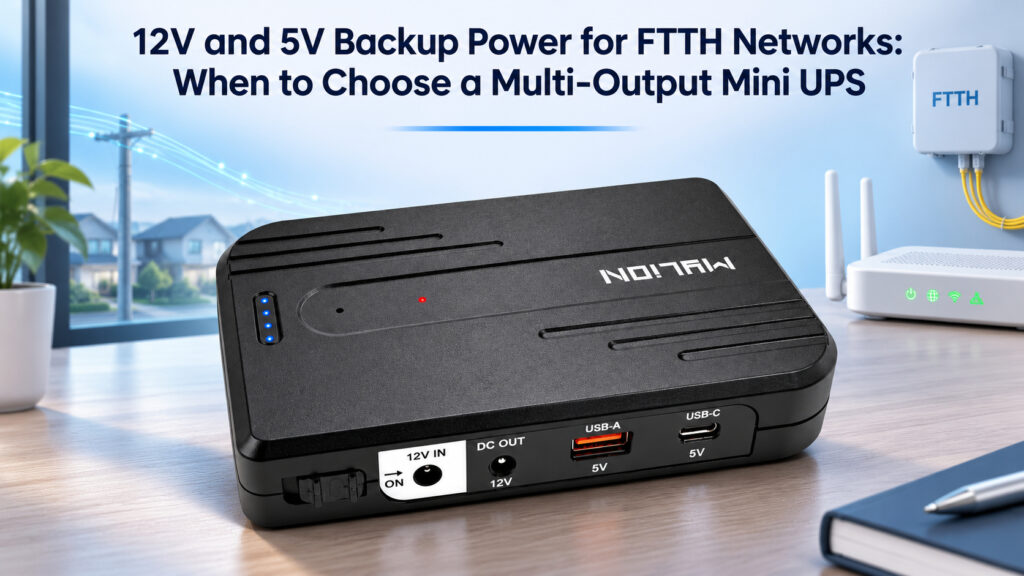
An FTTH installation can include several devices with different power connections. A network terminal may need 12V DC power, while a selected accessory uses 5V USB power. For ISPs and system integrators, the backup solution needs to match that equipment mix.
The MYLION MUJ46 Mini UPS brings together a 12V DC output, a USB-A 5V output, and a USB-C 5V output. These options make it useful in settings where different devices need different ports.
When several devices need backup at the same time, their total power demand also matters. The right MUJ46 configuration depends on the devices connected and how long the project needs them to stay powered.
Why FTTH Backup Power Starts with the Device Combination
Fibre to the Home, or FTTH, describes the broadband connection, but the equipment inside each installation can differ. An optical network terminal, or ONT, may connect to a separate router. Other installations may use an integrated gateway or include additional equipment required by the project.
Start by identifying the service that needs backup and the devices that make it work. If both the ONT and a separate router are necessary for subscriber internet access, both need an appropriate power arrangement. Keeping one device powered will not cover the function of another device that has shut down.
Next, check how those devices receive power. Two devices may use different voltages, or both may require 12V. Some accessories accept 5V USB power. The number of devices alone therefore does not tell you which Mini UPS outputs are needed.
This is where a multi-output Mini UPS becomes useful to evaluate. It gives the project team more than one type of power connection to work with. The final choice still depends on the equipment combination, its power demand, and the time it needs to operate on battery.
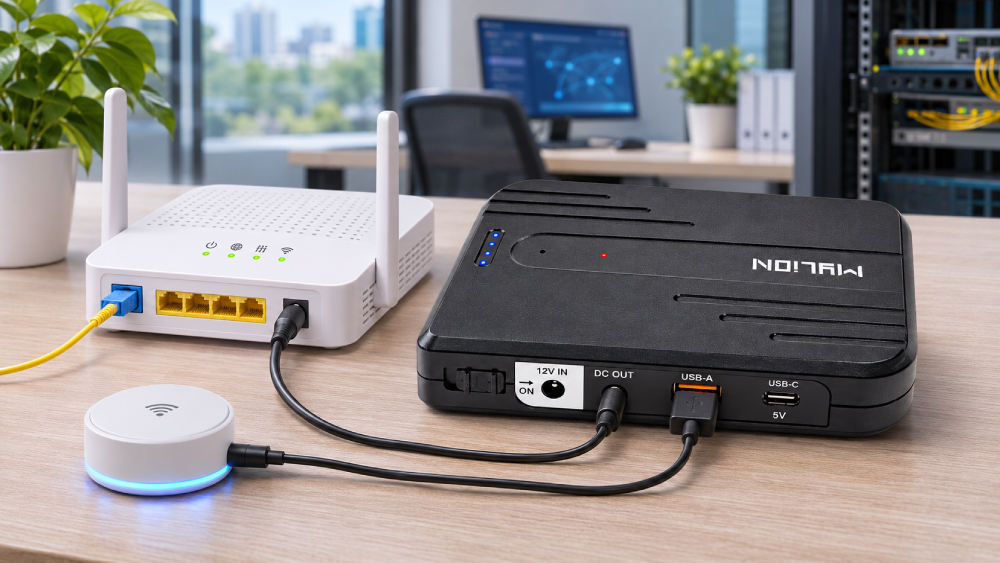
Different ports for different device needs
For a project buyer, port choice starts with the equipment that needs backup. One installation may use a 12V network device. Another may also need a small USB-powered terminal or accessory.
MUJ46 provides connection options for these different requirements.
MUJ46 output | Device requirement |
12V DC | A compatible 12V network device, such as an ONT, ONU, or router |
USB-A 5V | Compatible small terminals and accessories that use 5V USB power |
USB-C 5V | Compatible devices that accept 5V power through USB-C |
Teams can select the ports that match each equipment combination. A matching port and voltage are the starting point; the device’s power demand must also fit the selected output.
Where MUJ46 Mini UPS fits in FTTH projects
A network device with a USB-powered accessory
Consider an installation where a compatible 12V ONT or router needs backup alongside a selected 5V USB-powered device. MUJ46 offers both connection types in one unit, making it a candidate for that equipment combination.
The project team should identify which devices need to remain powered during an outage. If the USB device supports a required function, include it in the backup plan and assess its power demand together with the main network device.
MYLION can review the devices together with your required backup time to help assess whether MUJ46 fits the application.
Different equipment combinations across a rollout
An ISP or system integrator may work with different equipment sets across its installations. Some sites may need a DC connection, while others also need USB power.
MUJ46’s output options give the team flexibility when reviewing those requirements. Each site can use the ports needed for its approved equipment set.
For distributors and broadband equipment brands, the same approach helps define a project kit around the intended devices. Confirm the equipment combination first, then select the cables and evaluate the complete setup. If a device changes, review the combination again before extending it to more installations.
Explore MYLION’s Multi-Output Backup Solution for related project options.
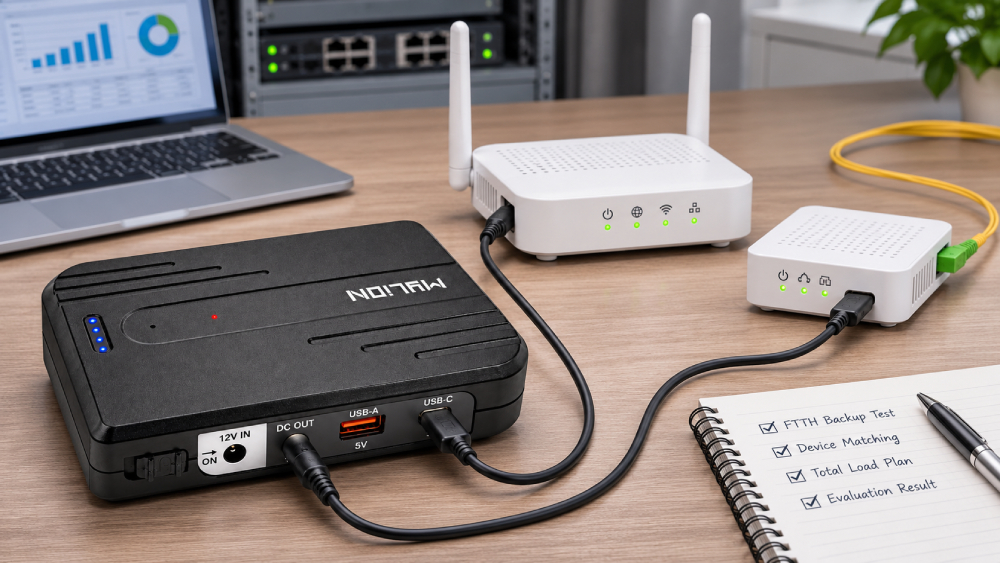
Connecting several devices means considering the total load
MUJ46 has multiple ports, and all connected devices share the unit’s available power and battery energy. When devices run together, their combined demand must stay within its supported limits. Each device must also stay within the limit of its own output.
For example, adding a USB-powered device changes the total load even when the main network device stays the same. The selection should be based on that full combination.
The same applies to backup time. Adding another device uses more battery energy and can shorten the time available to the equipment already connected. A runtime result for one device should therefore not be used as the runtime for a larger device combination.
Share the full equipment list and required backup duration with MYLION. The team can review the requirements and discuss sample evaluation with the actual devices connected.
When to choose MUJ46 for your project
MUJ46 is worth evaluating when your project includes compatible 12V and 5V devices and needs different output connections within one compact backup unit. It is particularly relevant when an FTTH equipment set includes a main network device together with selected USB-powered equipment.
For procurement teams, the next step is to confirm the intended device combination, total load, and required backup time. These details help establish whether MUJ46 fits the project or whether another model from the MYLION Mini UPS range should be considered.
FAQ
Q1: What is the main advantage of MUJ46
Q2: Can one Mini UPS power 12V and 5V devices together
Q3: Can MUJ46 back up an ONT and router together
Q4: How long will MUJ46 power my equipment
Conclusion
MUJ46 Mini UPS offers a practical option for FTTH projects that need different power connections for different devices. Its 12V DC and 5V USB outputs give buyers flexibility when planning backup for a mixed equipment set. When several devices will run together, consider their combined load and required backup time as part of the same selection decision.


 English
 简体中文
 Deutsch
 Français
 Italiano
 Español