
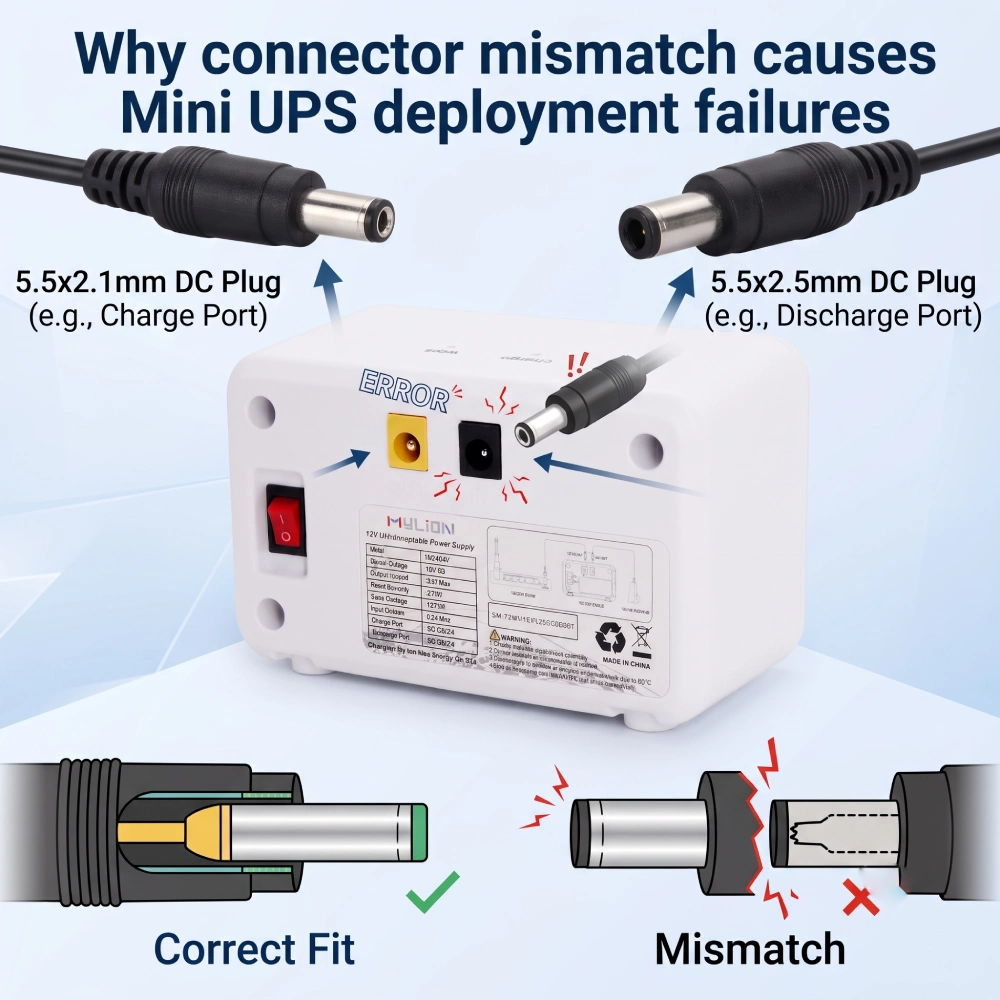
Cuando los ISP y los operadores de telecomunicaciones implementan FTTHEl respaldo de energía para ONT, enrutadores y puertas de enlace es fundamental. Sin embargo, muchos Implementación de mini UPS El fallo no se debe a la capacidad de la batería ni a la corriente de salida, sino a un factor determinante: la incompatibilidad de los conectores.
Un técnico adecuado Mini UPS El sistema puede fallar en funcionamiento si el enchufe de CC es incorrecto, la polaridad no está clara o el conector simplemente no encaja. Este artículo analiza por qué la incompatibilidad de conectores sigue siendo uno de los riesgos más subestimados en los proyectos de respaldo de banda ancha y cómo evitarlo.
Por qué los conectores son importantes
La mayoría de los dispositivos de borde de bajo voltaje utilizan conectores cilíndricos de CC que parecen idénticos, pero difieren fundamentalmente en diámetro interno y polaridad. El uso del conector incorrecto en una implementación desencadena tres modos de falla:
- Micro–reinicios:Un ajuste holgado (por ejemplo, un conector de 2,1 mm en una toma de 2,5 mm) provoca un contacto intermitente debido a vibraciones o cambios de temperatura, lo que obliga al dispositivo a reiniciarse por completo y a desconectarse.
- Daños por sobrecalentamiento:Un mal contacto reduce la superficie de conducción de corriente, generando un exceso de calor que puede derretir las carcasas de plástico y crear riesgos para la seguridad.
- Inversión de polaridad:Conectar un SAI con polaridad positiva central a una entrada con polaridad negativa central provoca un cortocircuito instantáneo y puede destruir el equipo de forma permanente.
Las tres caras del desajuste del conector
Tipo de desajuste | Ejemplo común | Real–Consecuencia mundial |
Tamaño del cañón | Enchufe de 5,5 × 2,1 mm en toma de 5,5 × 2,5 mm (o viceversa). | Contacto flojo → caídas de tensión intermitentes; o el enchufe no se inserta en absoluto. |
Polaridad | Positividad central frente a positividad central (símbolo en la etiqueta del dispositivo) | Fallo inmediato, daño permanente al dispositivo alimentado. |
Familia de conectores | Conector cilíndrico (conector de CC) frente a conector tipo pin frente a USB-C PD | No es posible la conexión física; requiere adaptadores no seguros. |
Cada tipo de dispositivo se presenta en diferentes etapas de la implementación (algunos durante la adquisición, otros solo durante la instalación en el sitio), pero todos causan interrupciones del servicio, quejas de los suscriptores y costosos trámites logísticos de devolución.
¿Por qué persiste este problema en las implementaciones de los proveedores de servicios de Internet?
Diversos factores hacen que la incompatibilidad de conectores sea un problema persistente en los proyectos de respaldo de banda ancha:
- fragmentación de dispositivos:Los modelos ONT/ONU de diferentes fabricantes utilizan diferentes voltajes, corrientes y geometrías de conectores.
- Especificaciones incompletas:Los compradores suelen especificar únicamente el voltaje/corriente, ignorando por completo los detalles del conector.
- improvisación en el campo:Los técnicos improvisan adaptadores, introduciendo resistencia y calor que degradan el rendimiento del SAI (Sistema de Alimentación Ininterrumpida).
- Falta de normas en la industria:No existe un estándar universal para los conectores de salida de los mini SAI; los de 5,5 × 1 y 5,5 × 2,5 mm son comunes, pero los de pines y USB-C están ganando terreno.
Cómo Mylion aborda la compatibilidad de los conectores
Mylion ha diseñado su línea de mini SAI específicamente para satisfacer las exigentes demandas de las redes empresariales. Antes de recomendar un modelo concreto, Mylion evalúa los requisitos de voltaje reales del dispositivo, la corriente de funcionamiento real en condiciones de carga típicas, el tipo y la polaridad del conector y la duración de la autonomía requerida.
Especificaciones estandarizadas del conector
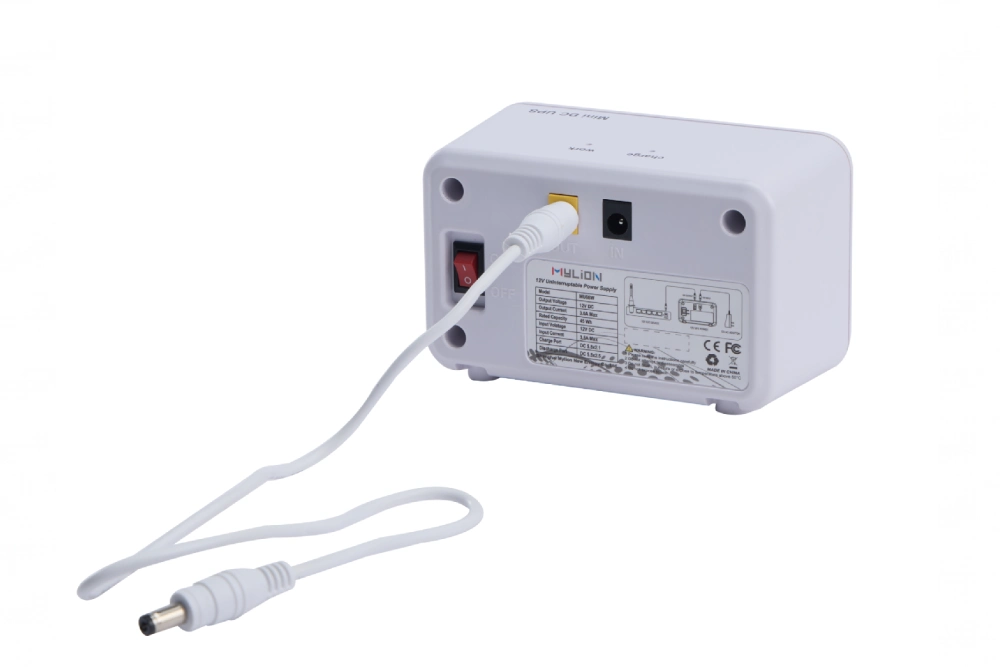
Los productos Mylion Mini UPS cuentan con especificaciones de conectores claramente definidas:
- Puerto de carga (entrada): CC 5,5×1
- Puerto de descarga (SALIDA): CC 5,5×5
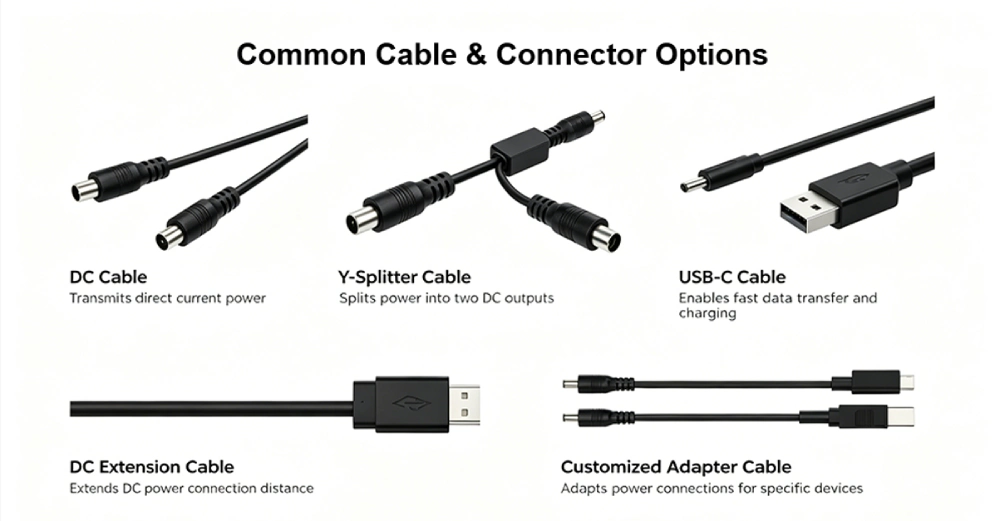
- Cable de transferencia: DC5.5×1 y DC5.5×2.5
El MU26 Mini UPSPor ejemplo, proporciona una salida de 12 V a 3 A máximo con una capacidad de 19,24 Wh, lo que lo hace adecuado para módems, routers WiFi, CPE, ONT y dispositivos de telecomunicaciones. MU48 Mini UPS Ofrece una capacidad de 29,6 Wh con la misma configuración de conector.
Personalización basada en proyectos
Para implementaciones B2B y de telecomunicaciones, Mylion admite la personalización basada en proyectos, que incluye etiquetado privado, embalaje personalizado, compatibilidad de conectores y cables, ajuste de capacidad y soporte para la apariencia del producto.
Cada entorno de implementación tiene exigencias físicas únicas. Mylion ofrece soluciones de salida personalizadas para adaptarse a estas realidades, entre las que se incluyen:
- Longitudes de cable personalizadas:Elimine el desorden de cables en armarios estrechos pidiendo la longitud exacta que necesita.
- Conectores especiales:¿Necesita un conector de 1,35 mm? ¿Un conector de 3,5 mm? Las líneas de producción de Mylion pueden satisfacer las solicitudes especializadas de las empresas.
- Mazos de cables de salida múltiple:Alimente varios dispositivos (como un enrutador y una cámara IP independiente) desde un único SAI Mylion Mini utilizando un cable divisor diseñado a medida, con la capacidad adecuada para el voltaje y el amperaje totales.
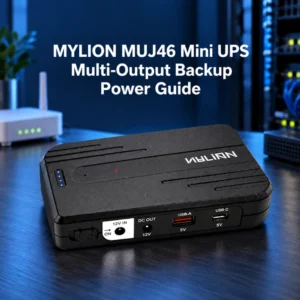
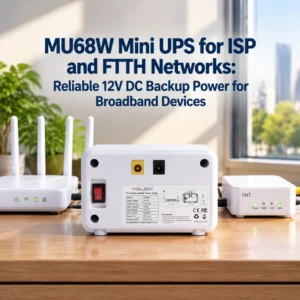
El MU68 Mini UPS es normalmente el mejor punto de partida para aplicaciones estándar de respaldo de ONT, ONU y puerta de enlace de fibra de 12 V. Para implementaciones donde la instalación en línea, un diseño de cableado más limpio o una implementación FTTH compacta son importantes, el MUJ46 Mini UPS ofrece una alternativa.
Evolución de USB-C PD
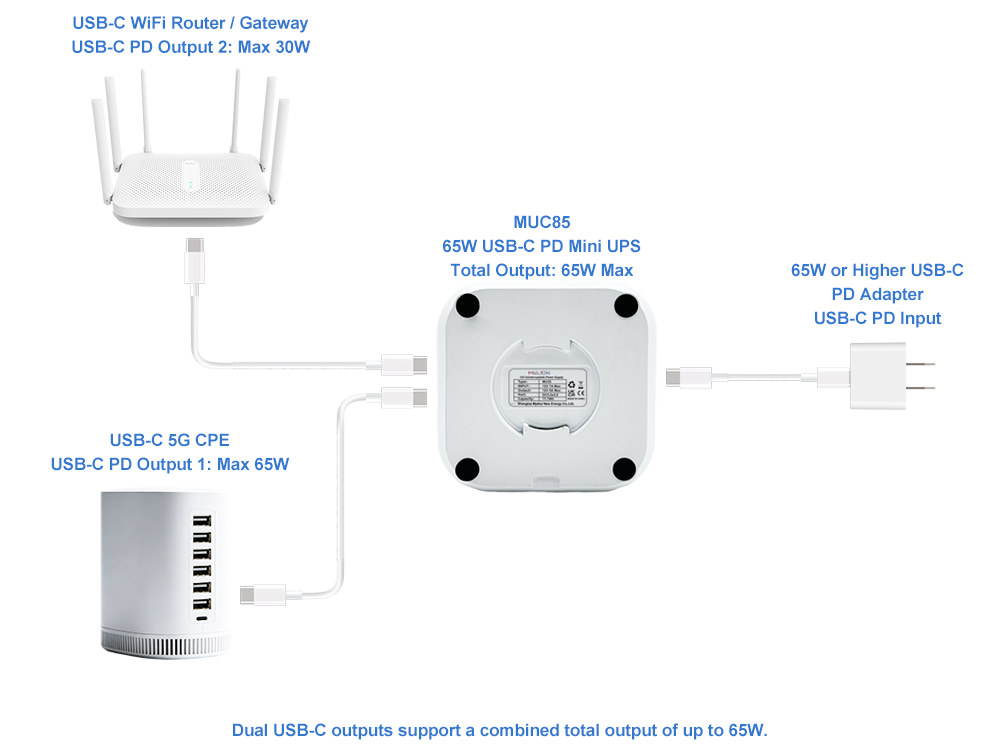
A medida que los fabricantes de equipos de red hacen la transición de los conectores cilíndricos tradicionales a la entrada USB-C Power Delivery, Mi león MUC85Mini UPS USB-C PD Esta serie es compatible con routers modernos, concentradores inteligentes y terminales que utilizan entrada de alimentación USB-C.
Mejores prácticas para evitar la incompatibilidad de conectores
Antes del despliegue
- Compruebe la etiqueta original del adaptador de corriente.o especificación del dispositivo en cuanto a voltaje, corriente y tipo de conector.
- Mide el conector real—No adivines. Los conectores cilíndricos que parecen idénticos pueden tener diámetros internos diferentes.
- Verifique la polaridad.Busque el símbolo de centro positivo o centro negativo en la etiqueta del dispositivo.
- Prueba con el dispositivo real. Antes de comprometerse con un despliegue a gran escala, tenga en cuenta que lo que funciona en teoría puede fallar en la práctica.
Durante la adquisición
- Especifique explícitamente los detalles del conector. en las órdenes de compra, no solo en el voltaje y la corriente.
- Solicitar unidades de muestrapara su validación antes de realizar un pedido masivo.
- Defina la longitud del cable., ángulo del enchufe, requisitos de etiquetado y embalaje antes de la producción en masa.
- Trabaje con proveedores que ofrezcan personalización. Mylion ofrece soporte para OEM/ODM, embalaje, marca, opciones de cableado y personalización específica para cada proyecto.
Durante el despliegue en el terreno
- Técnicos de trenespara reconocer los tipos de conectores y los símbolos de polaridad.
- Evite los adaptadores inseguros.—introducen resistencia y crean puntos de fallo.
- Especificaciones del conector del documentopara cada modelo de dispositivo en su implementación.
- Establecer un ciclo de retroalimentaciónPor lo tanto, los problemas sobre el terreno influyen en las futuras decisiones de adquisición.
Preguntas frecuentes
P1: ¿Puedo usar un conector de 5,5 × 2,1 mm en una toma de 5,5 × 2,5 mm?
P2: ¿Qué sucede si invierto la polaridad en una conexión de Mini UPS?
P3: ¿Mylion ofrece configuraciones de conectores personalizadas para proyectos de gran envergadura?
P4: ¿Cómo sé qué modelo de Mylion Mini UPS es compatible con mi dispositivo?
P5: ¿Cuál es la diferencia entre MU26, MU48 y MU68?
P6: ¿Puede una mala combinación de conectores provocar fallos intermitentes en lugar de fallos totales?
Conclusión
La incompatibilidad de conectores no es un detalle técnico menor, sino un obstáculo insalvable para la implementación. Un mini SAI Aunque el voltaje sea el correcto, la capacidad de corriente sea suficiente y el tiempo de funcionamiento sea amplio, el sistema seguirá fallando si el conector no coincide con el dispositivo de destino. Para los proveedores de servicios de Internet, los operadores de telecomunicaciones y los integradores de sistemas que implementan sistemas de alimentación de respaldo a gran escala, la compatibilidad del conector debe considerarse un criterio de adquisición de primera categoría.
Mylion ofrece emparejamiento de conectores personalizado, configuración de cables y etiquetado OEM para proyectos de telecomunicaciones y proveedores de servicios de Internet. Al evaluar los requisitos reales del dispositivo antes de la implementación y ofrecer opciones de conectores flexibles, Mi león Ayuda a las organizaciones a evitar los costosos fallos que suelen producirse en las implementaciones de Mini UPS mal planificadas.
 Español
  English
  简体中文
简体中文  Deutsch
  Français
  Italiano