
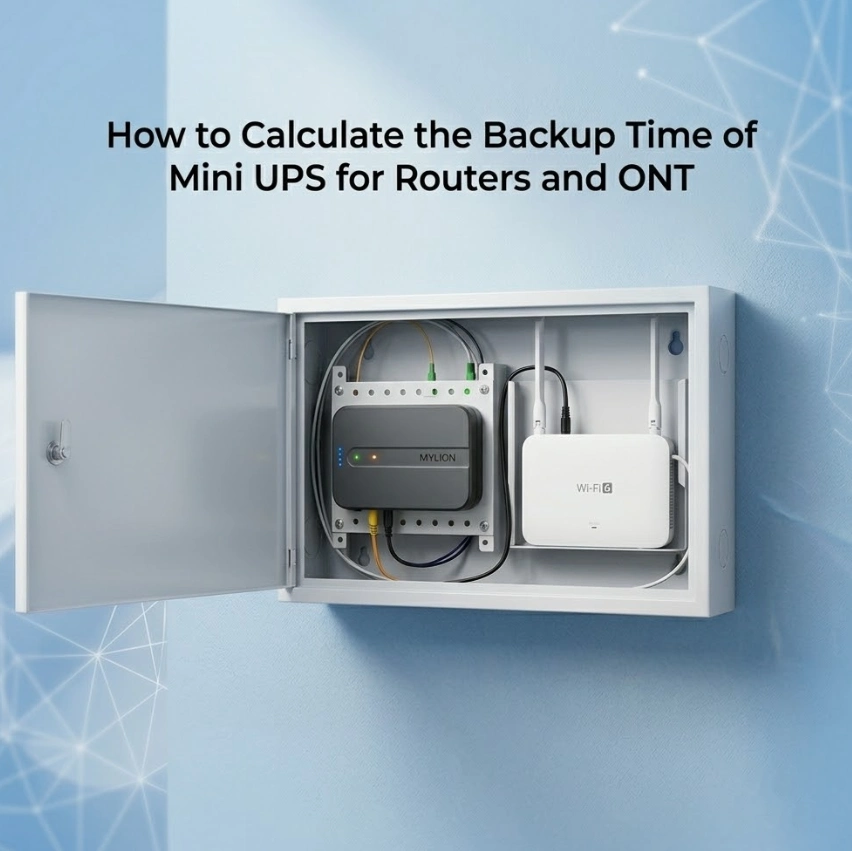
在远程办公、流媒体和智能家居设备都依赖于始终在线的互联网连接的今天,停电不仅仅是带来不便,更会造成严重中断。没有电力,你的光纤调制解调器(ONT)和Wi-Fi路由器都将无法工作。迷你UPS可以解决这个问题,但前提是你知道…… 它能让你的网络保持运行多久?本指南将通过实际示例,逐步指导您如何计算路由器和 ONT Mini UPS 的备用时间。 Mylion 迷你 UPS.
为什么备份时间对路由器和光网络终端设备很重要
与电脑或显示器不同,路由器和光网络终端 (ONT) 全天候运行,但功耗相对较低——通常加起来在 5W 到 15W 之间。然而,它们也 对电压降非常敏感电压骤降或突然停电可能会中断 VoIP 通话、断开 VPN 会话并重置智能家居中心。
了解你的 实际备份时间 可以帮助您:
- 判断迷你型 UPS 能否经受住典型的 1-2 小时本地停电。
- 避免为过大的电池组支付过高的价格。
- 为应对长时间停电做好准备,可与发电机或大型发电站配合使用。
不经过计算,你就是在瞎猜。而瞎猜往往会导致网络瘫痪,原本你预期需要两个小时,结果却在15分钟内就瘫痪了。
你需要了解的关键电气术语(电压、电流、功率、容量)
要准确计算备用时间,您必须了解四个基本电气指标:
电压(V) – 电压。路由器和光网络终端 (ONT) 通常使用 5V、9V 或 12V 直流电。迷你型 UPS 设备输出与之匹配的电压。
电流(A 或 mA) – 电子流速。以安培 (A) 或毫安 (mA) 为单位测量。大多数路由器电源适配器都会标明输出电流(例如,“12V ⎓ 1A”)。
功率(瓦) 实际能耗。公式: 瓦特数 = 伏特数 × 安培数这是运行时间计算中最重要的单个数字。
容量(安时或瓦时) – 电池中储存的总能量。
啊(安培小时) 在标称电压下,铅酸电池或锂电池的常见情况。
瓦时 (Wh) 更通用的单位是:1 Wh = 1 瓦特持续 1 小时。
记住: Wh 才是真正的能量计量单位。 因为它消除了电压的影响。一块12V 7Ah的电池容量为84Wh(12×7)。一块5V 20Ah的移动电源容量为100Wh(5×20)。
计算路由器和光网络终端备用时间的分步方法
步骤 1 – 确定路由器和光网络终端 (ONT) 的总功耗。
不要依赖电源适配器的最大额定功率(例如,“12V 2A”= 24W)。该数字是适配器的额定功率。 能力并非实际抽签。而是:
- 选项 A(准确):在墙壁插座和您的设备之间使用插入式功率计(例如 Kill-A-Watt)。读取输出功率(瓦特)。
- 方案 B(足够好):查看设备标签上的输入功率额定值(而不是适配器上的)。许多路由器标明“12V ⎓ 0.5A”——即6W。
- 选项C(保守型):用万用表串联测量直流电流。
例子:
ONT = 12V × 0.4A = 4.8W
路由器 = 9V × 0.6A = 5.4W
总负载 = 10.2W
步骤 2 – 查找您的迷你 UPS 的电池容量(Wh 或 Ah)。
查看迷你UPS上的规格标签。例如, 路由器迷你UPS 型号通常列出:
- 电池类型:锂离子电池或磷酸铁锂电池
- 容量单位为毫安时 (mAh) 或安时 (Ah)(例如,10,000mAh / 10Ah)
- 标称电压(例如,12V)
Mylion针对不同的使用场景提供多种型号:
模型 | 电池容量 | 输出 | 典型应用 |
19.24瓦时 | 最大12V 2A | 单路由器/光网络终端,1-2小时备份 | |
44.4瓦时 | 12V 3A | 标准路由器/光网络终端,4-8 小时备用 | |
77.7瓦时 | 12伏 5安 | 高负载路由器/网关,8-12 小时以上备份 | |
38.48瓦时 | 12V 直流 | 适用于光网络终端/路由器的紧凑型隐藏式安装 | |
92瓦时 | USB-C PD(20V/3.25A) | 现代 USB-C/PD 供电设备 |
对于典型的家庭网络而言,MU68(45Wh)是最广泛适用的型号。
步骤 3 – 将电池容量转换为瓦时(如果需要)
如果您的迷你UPS指定 安时 (Ah)乘以额定电压:
Wh = V_battery × Ah_battery
例如:一个额定容量为 5Ah 的 12V 电池可提供 12V × 5Ah = 60Wh 的电量。
如果容量在 毫安时先除以 1000:10,000mAh = 10Ah。
对于列出 Mylion 单元 仅 Wh (例如,MU26:19.24Wh),您可以跳过此步骤。
步骤 4 – 应用备用时间公式:(电池容量 × 逆变器效率)/ 负载功率
大多数路由器用的迷你型UPS都是 直流到直流 (无需逆变器)或者如果还要为交流设备供电,则需配备小型逆变器。对于纯直流输出(例如,12V 至 12V),效率很高:90–95%。对于交流输出(120V/230V),效率会降至 80–85%。
基本公式(直流输出,无逆变器损耗):
备用时间(小时)= 电池容量(瓦时)/ 负载功率(瓦)
考虑效率因素:
备用时间 = (电池容量(瓦时)× 效率) / 负载功率(瓦)
示例(使用 MU68 直流迷你 UPS):
电池容量 = 44.4Wh,负载功率 = 10.2W,效率 = 0.93
→ (44.4 × 0.93) / 10.2 = 4.05 小时(理论值)
步骤 5 – 根据实际情况调整电池放电深度
锂电池可在不损坏的情况下安全放电至额定容量的 90–100%。Mylion 还为需要更安全化学体系和更长循环寿命(2000 次以上循环)的客户提供基于磷酸铁锂 (LiFePO₄) 的解决方案。
对于锂电池(标准 Mylion 型号),将结果乘以 0.95 可用深度。对于磷酸铁锂电池(例如, ML1202AC)由于先进的BMS保护,可用深度相似。
对于 Wi-Fi 6/7 路由器或 ONT+路由器组合等高负载应用,MU35 (12V 5A) 可提供更高的输出功率和更长的运行时间——根据负载情况,最长可达 10-13 小时。
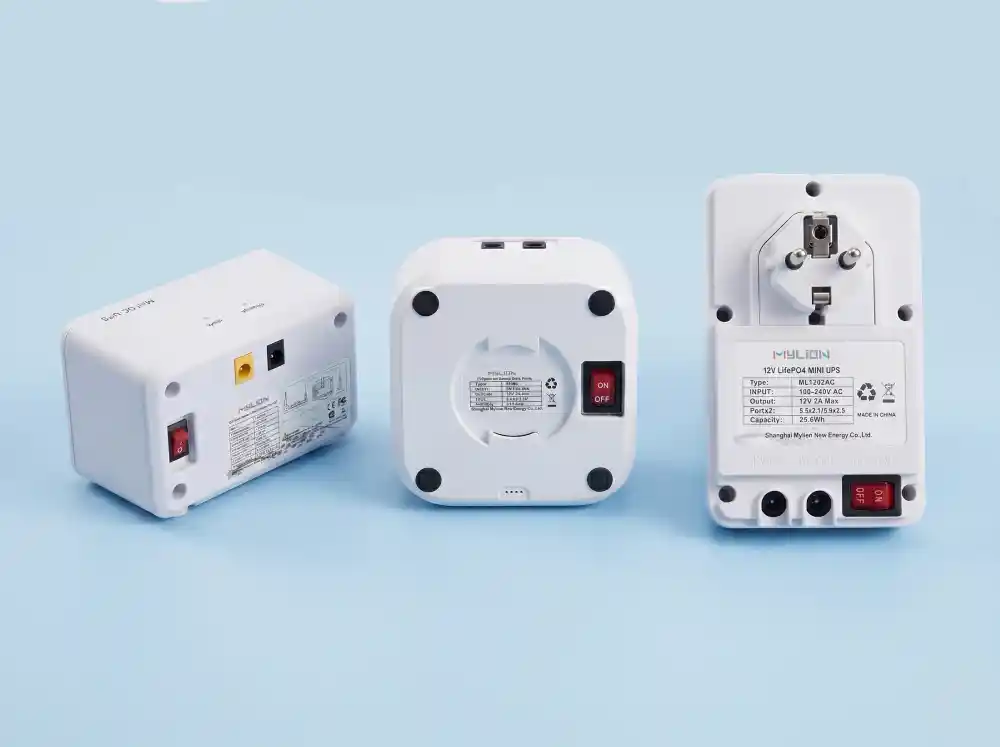
以下示例计算使用 Mylion Mini UPS 为典型的家庭网络设置进行配置。
让我们通过实际的 Mylion 模型来了解三个真实场景:
场景 1:标准家用路由器 + 光猫(总功率 10W)
设备:
- ONT:12V 0.35A → 4.2W
- 路由器:9V 0.55A → 4.95W
- 总负载 = 9.15W
Mylion MU68:
- 容量 = 44.4Wh (12V 12000mAh 锂离子电池)
- 效率(直流输出)= 92%
- 电池类型 = 锂离子电池(DoD = 95%)
计算:
(44.4瓦时 × 0.92)/ 9.15瓦 = 40.85 / 9.15 = 4.46 小时(理论值)
× 0.95 DoD = 4.24 小时实际备份时间
场景二:FTTH 内嵌式部署(空间有限)
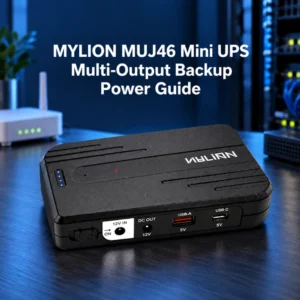
对于在结构化布线盒或光纤到户机柜中进行干净、隐蔽的安装, MUJ46 专为在线部署而设计。
设备: ONT + 路由器(总共 8W)
Mylion MUJ46:
- 紧凑型直列式外形
- 预计容量:约30-40瓦时(因配置而异)
- 运行时间:中等负载下约 3-5 小时
场景 3:高性能 Wi-Fi 6/7 路由器(15W 负载)
Mylion MU35(12V 5A 高输出型号):
- 专为高负载 12V 网络设备而设计
- 高容量锂离子电池
- 输出:最大 12V 5A
计算:
假设容量约为75Wh(MU35级典型值):
(75瓦时 × 0.92)/ 15瓦 = 69 / 15 = 4.6 小时(理论值)
× 0.95 DoD = 实际备份时间 4.37 小时
结果: MU35 即使在断电期间也能让耗电量大的 Wi-Fi 6 路由器保持在线状态超过 4 小时。
对于采用 USB-C/PD 供电的现代网络设备, MUC85(92Wh,65W PD) 提供灵活的现代电源架构支持。
影响实际备份时间的因素
由于以下原因,您计算出的备份时间可能与实际情况有所不同:
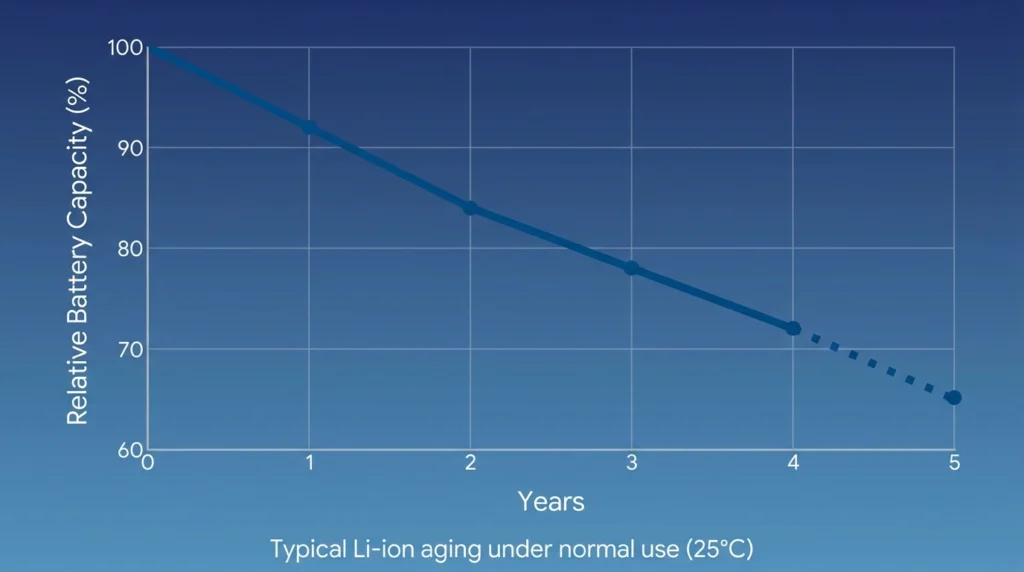
老化电池 – 锂电池在使用 2-3 年后会损失 20-30% 的容量。
温度 – 低温(低于 0°C)会降低有效容量;高温会加速性能下降。
负载波动 – 路由器功耗随 Wi-Fi 流量、USB 设备或 CPU 负载而变化。
电缆损耗 – 细长直流电缆会降低电压,迫使 UPS 提供更大的电流。
待机与活动 – 某些 ONT 在数据传输期间的功耗是空闲时的 2 倍。
为了最大限度地延长运行时间:
使用短而粗的直流电缆。
请将迷你UPS放置在阴凉干燥处。
每隔 12-18 个月重新计算一次。
如何根据所需的备用时间选择合适的迷你UPS容量
使用反向公式: 所需瓦时 = (目标小时数 × 负载瓦数) / (效率 × 分布式功耗)
例如:你想要 4小时 对于 10W 负载,直流输出(92% 有效值,95% 放电深度):
所需瓦时 = (4 × 10) / (0.92 × 0.95) = 40 / 0.874 ≈ 45.8瓦时
这意味着你需要一台至少具备以下功能的迷你型UPS。 46瓦时 可用容量。
根据备份需求推荐的 Mylion 型号:
所需备用时间 | 负载类型 | 推荐的 Mylion 型号 |
1-2小时 | 单路由器/光网络终端 | MU26系列(19.24Wh) |
3-5小时 | 标准路由器 + 光猫 | MU68系列(44.4Wh) |
4-6小时 | 光纤到户 (FTTH) 隐蔽安装 | MUJ46(38.48Wh) |
6-10小时以上 | 高负载路由器或多个设备 | MU35系列(77.7Wh) |
3-6小时 | USB-C/PD 现代设备 | MUC85(92Wh,65W PD) |
2-4.5小时 | 低功耗路由器(交流输入方便) | ML1202AC(25.6Wh LiFePO₄) |
总是 增加 20% 安全裕度 考虑到电池老化和意外负载峰值。
对于复杂的部署或定制需求,Mylion 提供基于工程的模型匹配支持,以帮助避免不合适的选择。
常问问题
问题1:如何计算路由器和光网络终端的迷你UPS备用时间?
Q2:Mylion Mini UPS 路由器专用电源的典型备用时间是多少?
Q3:电池容量会随着时间推移而降低吗?
Q4:为什么我的迷你UPS显示的备用时间比计算出的要少?
我可以使用迷你型UPS同时连接两台设备吗?
结论
计算路由器和光网络终端(ONT)迷你型UPS的备用时间并非凭空猜测。它需要测量实际负载,了解电池容量(以瓦时为单位),并考虑效率和放电深度等因素。 Mylion 迷你 UPS 提供可靠的锂电池性能和清晰的规格,使其易于接入公式。


 简体中文
简体中文  English
  Deutsch
  Français
  Italiano
  Español