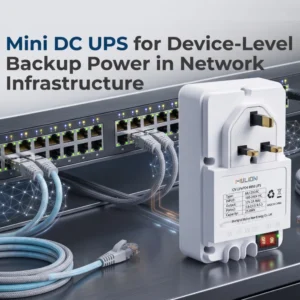
适用于光网络终端 (ONT)、光网络单元 (ONU)、路由器和互联网服务提供商 (ISP) 备份项目的迷你型 UPS

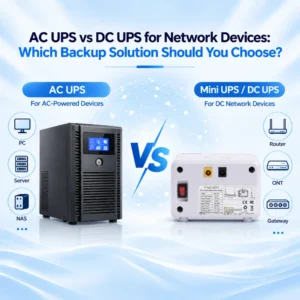
网络设备用交流UPS还是直流UPS:您应该选择哪种备份方案?

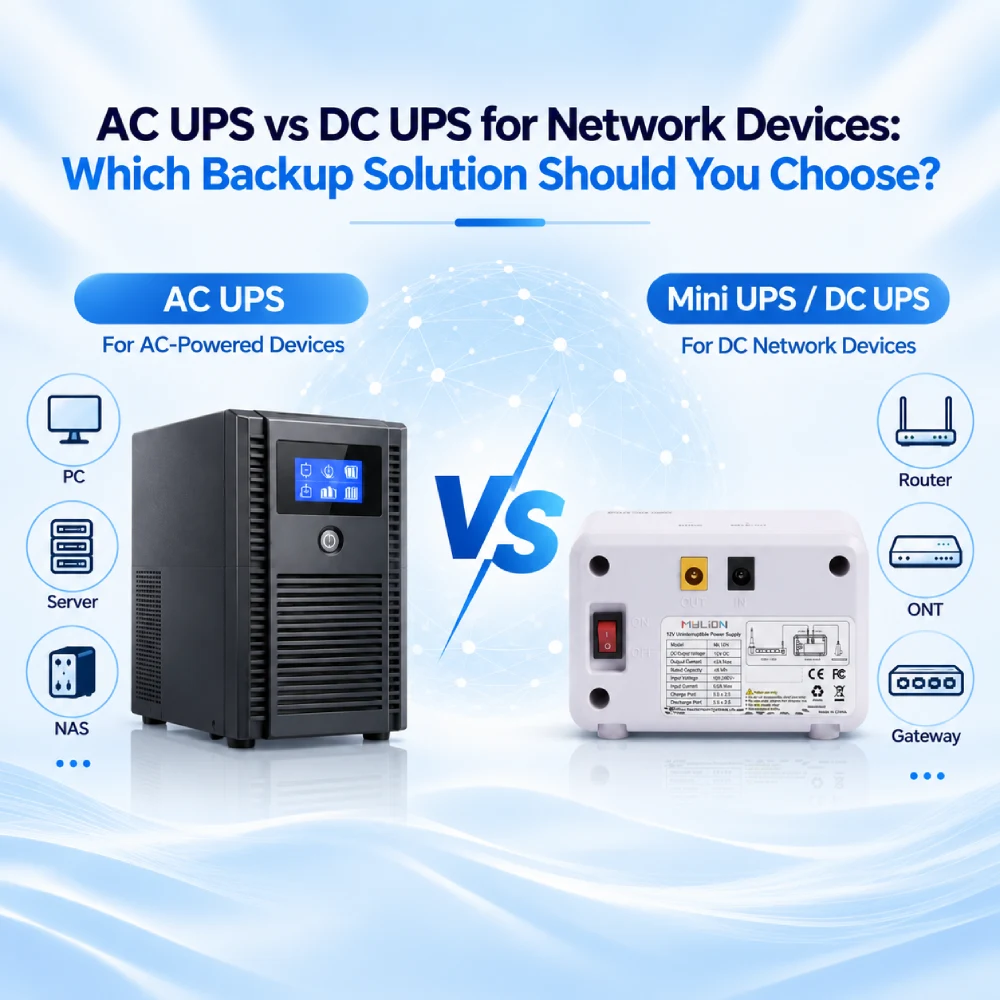
AC UPS vs DC UPS for Network Devices_ Which Backup Solution Should You Choose

Direct Answer

For network devices such as routers, gateways, CPE, ONT/ONU terminals and selected communication equipment, the right backup solution depends on the device input voltage, load, connector, installation environment and required backup time.

An AC UPS is often suitable when multiple AC-powered devices need centralized backup. An industrial DC UPS is usually considered for control cabinets or professional DC power systems.

迷你直流UPS can be a practical option for distributed low-voltage network devices when the device voltage, current, connector and runtime requirement are compatible.

There is no single backup architecture that is always best. The correct choice starts with the network device, not with the UPS category.

Why Network Devices Need a Different Backup Approach

Network infrastructure in homes, offices, telecom projects, smart buildings and broadband deployments often depends on many small devices rather than one large piece of equipment.

Typical devices may include:

  • 路由器
  • 网关
  • ONT / ONU terminals
  • 无线CPE
  • 调制解调器
  • 通信终端
  • Selected low-voltage network devices

When power is interrupted, even a small device failure can break the connection between users, systems and cloud services

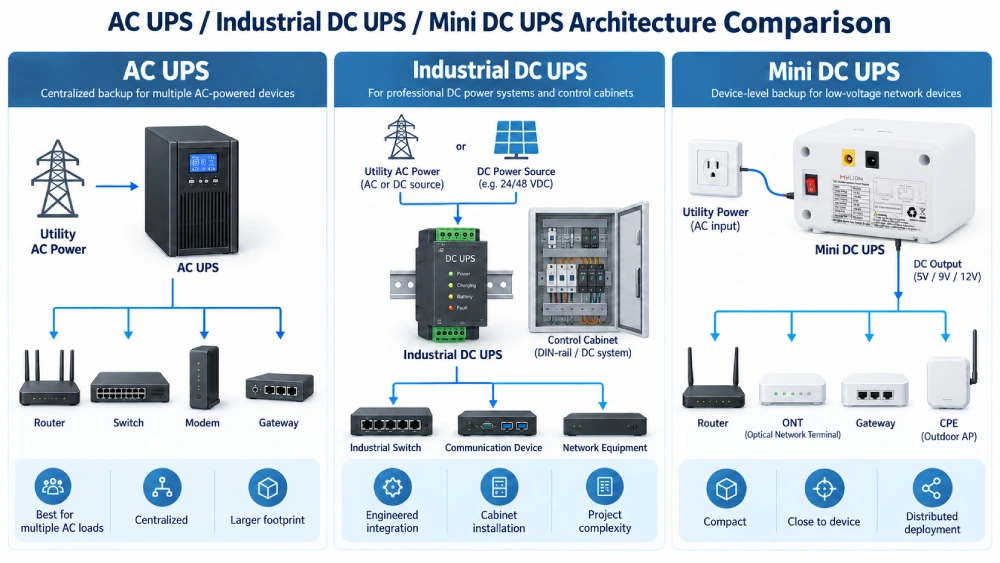
AC UPS, Industrial DC UPS and Mini DC UPS Compared

Backup Type

Typical Use

Strengths

最佳匹配

交流UPS

Centralized backup for AC-powered equipment

Familiar, widely available, can support multiple AC loads

Offices, racks, multiple AC loads

工业直流UPS

DC backup inside industrial or control systems

Designed for professional DC power architectures

Industrial panels, automation systems, professional DC infrastructure

小型直流不间断电源

Device-level backup for low-voltage DC equipment

Compact, closer to the device, avoids unnecessary AC conversion in many cases

Routers, gateways, CPE, ONT/ONU and compatible network devices

When an AC UPS Makes Sense

An AC UPS makes sense when several AC-powered devices are installed together.

For example, a network room may contain a modem, router, switch, computer and other AC equipment. One AC UPS can provide centralized backup for the group.

An AC UPS is especially useful when:

  • Several devices need one backup source
  • The equipment already uses AC input
  • The devices are installed in the same rack or room
  • Space is not a major concern
  • Other AC loads also need backup

The trade-off is that many routers, ONTs and gateways actually operate on low-voltage DC.

Their normal power path may already be:

AC mains → AC adapter → DC network device

Adding an AC UPS creates:

AC mains → AC UPS → AC adapter → DC network device

This architecture works, but it is not always the simplest solution for a distributed router or ONT installed at the customer premises.

When an Industrial DC UPS Makes Sense

Industrial DC UPS systems are typically used when backup power is part of a professional DC power architecture.

They may be suitable for:

  • 工业控制柜
  • 自动化系统
  • DIN-rail DC power environments
  • Projects requiring professional electrical integration
  • Systems with defined DC bus voltage and protection design

An industrial DC UPS is not simply a larger version of a Mini UPS. It belongs to a different integration environment and may require engineering review, wiring design, cabinet space and installation planning.

For network devices used inside industrial or infrastructure environments, this approach can be appropriate when the project already has a DC power system and professional installation conditions.

When a Mini DC UPS Makes Sense

A Mini DC UPS is designed around a different idea:

keep backup power close to the network device.

This can be useful for distributed low-voltage devices installed in homes, offices, FTTH deployments, broadband networks and other customer-premises locations.

典型应用包括:

  • Wi-Fi路由器
  • ONT / ONU terminals
  • 宽带网关
  • 调制解调器
  • CPE
  • Compatible communication devices

Because the backup unit supplies DC power directly to the device, the installation can avoid unnecessary AC conversion in many applications.

AC UPS vs Mini DC UPS architecture comparison

How to Choose the Right Mini UPS for a Network Device

1. Device Type

Identify what must remain online. Is it one router? A gateway and ONT? A wireless CPE? A group of devices in one cabinet? Different device types may require different backup architecture.

2. Input Voltage

Check the device label, power adapter and manufacturer datasheet. Network devices may use different voltage platforms, including DC barrel input, USB-C, PoE-related power or other project-specific inputs. Do not assume that two devices are compatible only because they are both called routers or gateways.

3. Continuous Load and Peak Load

The rated adapter current is not always the same as actual operating load. Wireless transmission, startup, high traffic, connected modules and temperature can change power demand. For high-value projects, actual load measurement or sample testing is recommended.

4. Connector and Polarity

A connector that physically fits is not enough. The outer diameter, inner diameter, polarity, cable rating and contact stability must be checked.

5. Runtime Requirement

Backup time depends on battery energy, device load, conversion efficiency, temperature, battery condition and protection limits. Formula estimates can help with early comparison, but they should not be presented as guaranteed runtime.

6. 安装环境

Consider whether the device is installed in an office, cabinet, wall-mounted location, telecom enclosure or customer premises. Environment affects size, cabling, heat, accessibility and maintenance.

Which MYLION Mini UPS Fits Different Network Applications?

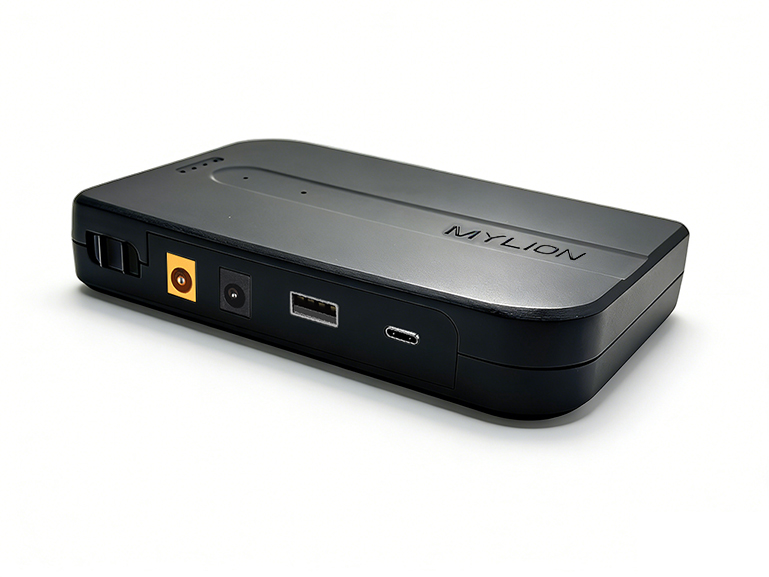
MYLION’s Mini UPS range covers several types of broadband and network backup projects.

The correct model should still be confirmed against the actual device specification rather than selected by application name alone.

MU68: For Mainstream 12V Broadband Devices

MYLION MU68 is positioned for standard 12V router, ONT and ONU backup applications.

It is a practical starting point for ISP and broadband projects using common 12V customer-premises equipment.

For projects involving standard routers or optical network terminals, MU68 can be included in the initial compatibility evaluation.

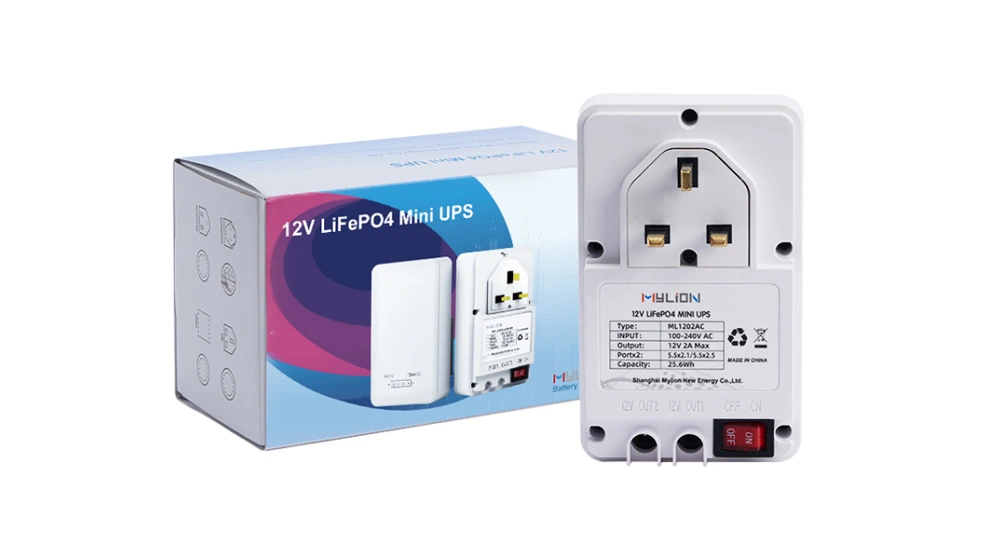
ML1202AC: For Dual-Device Backup

Some subscriber installations need to keep two devices online together, such as an ONT and router.

MYLION ML1202AC is positioned for compatible dual-device backup applications and can be considered when the installation requires one backup solution for two low-power broadband devices.

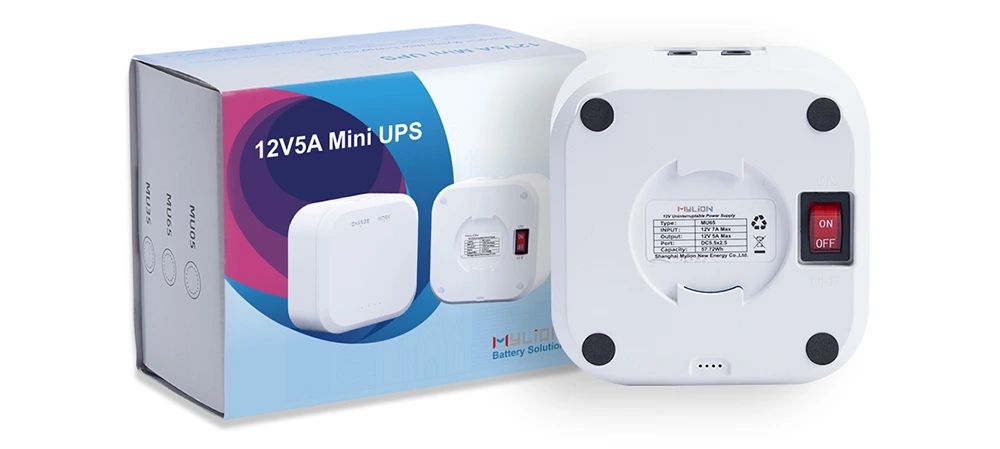
MU35: For Higher-Load 12V Equipment

Some broadband gateways and higher-performance routers require more power than standard network devices.

MYLION MU35 is positioned for higher-load 12V applications, including compatible gateways, CPE and newer router platforms.

It is worth evaluating when a standard lower-current Mini UPS does not provide enough output margin.

MUJ46: For Compact FTTH Installations

In FTTH projects, installation can matter almost as much as electrical performance.

MYLION MUJ46 is positioned for compact and inline deployment scenarios where cleaner cable routing and smaller installation footprints are important.

It can be evaluated for compatible ONT, ONU and other FTTH customer-premises applications.

MUC85: For USB-C / PD Devices

Not every modern network device uses a traditional DC barrel connector.

MYLION MUC85 is designed for compatible USB-C / PD-powered equipment.

This makes it relevant when evaluating newer routers, gateways and other network devices built around USB-C power architectures.

MU248: For 24V / 48V Applications

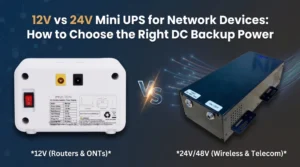
Projects using 24V or 48V equipment should not automatically use a standard 12V Mini UPS.

MYLION also lists the MU248 for selected 24V / 48V DC backup applications.

These projects should be checked separately because higher-voltage telecom equipment may have different electrical and integration requirements.

Mini DC UPS Application Scenarios

Why Device-Level Backup Matters for ISP and Telecom Projects

A centralized UPS works well when equipment is concentrated in one location.

Broadband networks are different.

An ISP may have thousands of routers, ONTs or gateways installed across individual subscriber locations. In these environments, backup power also becomes a deployment issue.

System integrators and operators may need to consider:

  • 设备兼容性
  • Installation space
  • Cable layout
  • Replacement and maintenance
  • Standardization across device models
  • Project-level testing
  • Different power architectures across subscriber equipment

这就是 迷你UPS解决方案 can become useful.

Instead of building a large backup system around each subscriber location, the backup unit can be matched directly to the network device.

Where MYLION Fits

MYLION 提供 迷你型UPS和直流备用电源解决方案 for compatible low-voltage network and communication devices. For system integrators, the practical value is not only the product itself, but the selection process.

A proper evaluation should start with:

  • 设备型号
  • 输入电压
  • Continuous and peak load
  • 连接器和极性
  • 所需备用时间
  • 安装环境
  • Project quantity
  • Country or project requirement

Based on this information, MYLION can help evaluate whether a Mini DC UPS direction is suitable, or whether the project requires a different backup architecture.

常问问题

Q1: Is a DC UPS better than an AC UPS for network devices?

Not always. A DC UPS can be more direct for low-voltage DC devices, but an AC UPS may be better when multiple AC-powered devices need centralized backup. The device input and project architecture should decide.

Q2: Can a Mini DC UPS replace an AC UPS?

Only in suitable device-level applications. A Mini DC UPS should not be treated as a replacement for whole-room, whole-building or multi-load AC backup systems.

Q3: What information is needed before selecting a Mini DC UPS?

At minimum, provide the device model, input voltage, current or wattage, connector, polarity, required backup time and installation environment.

Q4: Is adapter rating enough to calculate backup time?

No. Adapter rating may show the maximum supply capacity, but actual device load can be lower or variable. Runtime should be evaluated based on actual load where possible.

Q5: Can one UPS power multiple network devices?

Possibly, but only if the total continuous load, peak load, output voltage, connector plan and cable capacity are confirmed. Multi-device backup should not be assumed.

Q6: Should 24V or 48V network equipment use a standard 12V Mini UPS?

No. 24V and 48V projects require matching product data and engineering review. Standard 12V experience should not be applied directly.

结论

Choosing between an AC UPS and a DC UPS for network devices is not mainly about which technology is better. It is about the power architecture of the equipment.

Use an AC UPS when several AC loads need centralized backup. Use an industrial DC UPS when the project already uses a professional DC power system.

For distributed low-voltage devices such as routers, ONTs, gateways and CPE, a 小型直流不间断电源 can provide a simpler device-level backup approach.

Planning an ISP, telecom, FTTH or network backup project? Evaluate a MYLION Mini UPS for Your Network Project

关于迈锂

MYLION 为电信、互联网服务提供商 (ISP)、宽带和网络设备应用提供迷你型 UPS 备用电源解决方案。我们为 B2B 客户提供产品选型、设备匹配、样品验证和项目需求分析等支持,涵盖路由器、光网络终端 (ONT)、光网络单元 (ONU)、客户端设备 (CPE)、网关和其他直流供电设备。

分享:

最近的帖子

迈锂故事

zh_CN简体中文
滚动至顶部

获取报价