
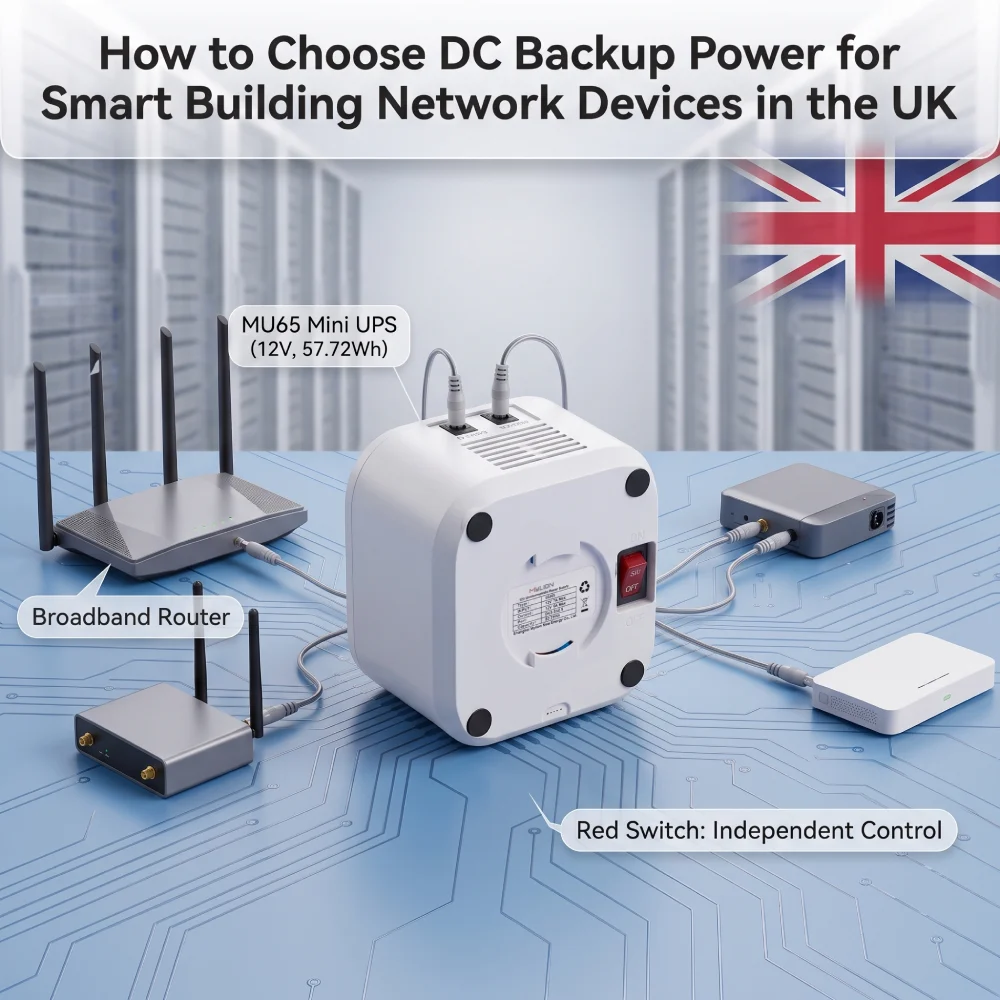
DC backup power for smart building network devices helps keep routers, gateways, CPE and other low-voltage network equipment online during power interruptions.
For UK system integrators and network solution providers, the main challenge is choosing the right backup architecture for each device.
A central AC UPS, industrial DC UPS and Mini DC UPS serve different purposes. The right choice depends on the device voltage, load, connector, required backup time and installation environment.
This guide explains how to evaluate them and how to choose an appropriate DC backup power solution for smart building network devices.
Why Backup Power Matters for Smart Building Network Infrastructure
A modern building can contain many connected devices distributed across different areas and equipment locations.
Depending on the project, these may include:
- Routers and broadband gateways
- Wireless CPE
- Network gateways
- Small network switches
- IoT communication gateways
- CCTV network terminals
- Selected IP-based monitoring devices
- Other low-voltage communication equipment
The UK government’s guidance for shared buildings illustrates how dependent modern buildings are on network infrastructure, including WAN connections, CPE, LANs, switches and wireless networks.
A reliable network connection does not guarantee service continuity if the local device loses power.
That is why smart-building network resilience should include both:
- Network availability
- Device-level power continuity
What Is Device-Level DC Backup Power?
Device-level backup supplies battery power directly to an individual low-voltage device or a small group of devices.
For example, a compact DC UPS can be installed between the normal power source and a router or gateway.
During normal operation, the device uses the main power supply. If that supply fails, the UPS continues powering the connected equipment.
This is different from a central UPS that protects an entire rack, cabinet or group of AC-powered devices.
For appropriate low-power network applications, device-level DC backup can offer several practical advantages:
- Compact installation close to the equipment
- Backup capacity matched to the actual device load
- Direct support for DC-powered equipment
- Easier deployment across distributed network endpoints
- Independent backup for selected critical devices
- Flexible replacement or expansion during future network upgrades
However, a Mini DC UPS is not automatically the correct solution for every smart-building system.
Understanding the different backup architectures is therefore the first step.
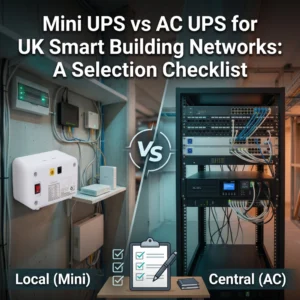
AC UPS vs Industrial DC UPS vs Mini DC UPS
The best backup architecture depends on the equipment, power requirement and installation environment.
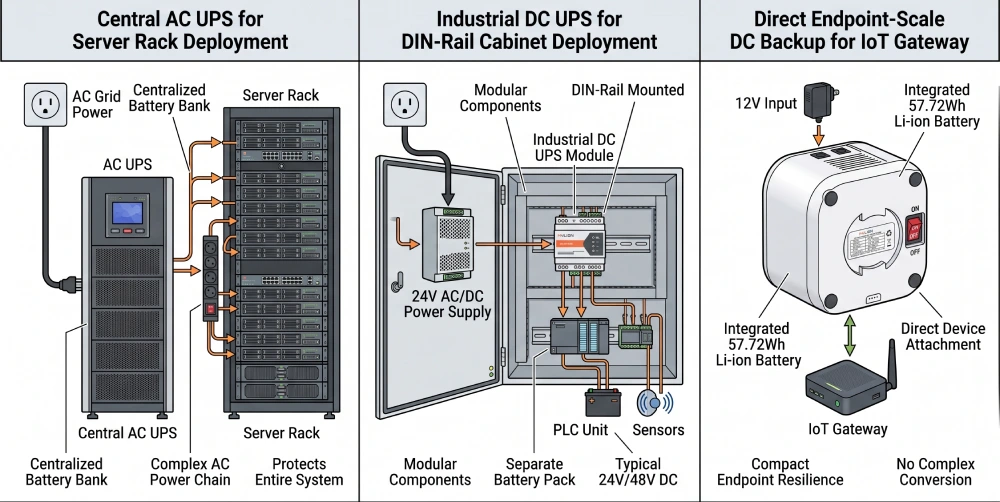
Central AC UPS
A traditional AC UPS can support multiple AC-powered devices or larger equipment groups.
This approach may be appropriate for:
- Network rooms
- Equipment racks
- Servers
- Larger switches
- Multiple AC loads
- Centralised building infrastructure
Its advantage is centralised protection.
However, using a central AC UPS solely for a small DC-powered endpoint may result in a more complex power conversion chain and a larger installation than the individual device requires.
Industrial DC UPS
Industrial DC UPS systems are commonly used with automation, control panels and industrial 24V DC infrastructure.
For example, Phoenix Contact’s UK DC UPS range includes DIN-rail-mounted 24V DC UPS solutions designed around industrial power systems.
These systems can be appropriate where the building already uses:
- 24V control cabinets
- DIN-rail equipment
- Automation systems
- PLC infrastructure
- Central industrial DC distribution
They should not be confused with compact device-level Mini UPS products.
Mini DC UPS
A Mini DC UPS is generally more relevant where the requirement involves a relatively small network or communication device operating from a defined DC input.
Typical project candidates may include compatible:
- Routers
- Gateways
- CPE
- ONT or ONU equipment
- Small network devices
- Communication terminals
- Selected IoT gateways
The main benefit is that backup can be deployed close to the actual load without building a larger central UPS architecture around a single low-voltage device.
Which Option Should You Choose?
There is no single best UPS for every smart building.
Requirement | Typical Backup Direction |
Multiple AC devices or racks | Central AC UPS |
Industrial control cabinets | Industrial DC UPS |
Distributed low-voltage network devices | Mini DC UPS |
Higher-capacity or specialised applications | Project-specific backup system |
The selection should start with the connected device, not the UPS type.
Start With the Device Requirements
A common mistake in backup power selection is starting with battery capacity.
For B2B projects, start with the electrical requirements of the network device.
1. Input Voltage
Check the device power adapter or technical documentation.
Typical network devices may use different input architectures such as:
- 12V DC
- 24V DC
- 48V DC
- USB-C Power Delivery
The UPS output must match the requirements of the actual device.
A larger battery does not solve a voltage mismatch.
2. Operating Current or Power
The UPS must support the real operating load.
Two devices may both use 12V but require very different current levels.
Check:
- Input current
- Power consumption
- Maximum load requirements
Do not select a UPS based on voltage alone.
3. Power Connector
Electrical compatibility includes the physical interface.
Project teams should confirm whether the device uses:
- DC barrel connector
- USB-C
- Terminal connection
- Another proprietary or project-specific interface
Connector polarity and dimensions should also be verified before deployment.
4. Required Backup Time
Backup runtime should be defined according to the operational objective.
For example, a project may need enough backup to:
- Bridge short mains interruptions
- Maintain connectivity while another power source starts
- Support network continuity during a longer outage
- Keep selected endpoints operational for a predefined service period
Runtime should therefore be calculated from the connected device load and usable battery energy rather than estimated only from the battery’s Ah rating.
5. Installation Environment
A backup unit for an indoor communications cabinet does not necessarily have the same requirements as one installed in a remote or exposed location.
Consider:
- Indoor or outdoor installation
- Available mounting space
- Ambient temperature
- Ventilation
- Cable routing
- Accessibility for maintenance
- Environmental protection requirements
Use products only within their specified installation conditions.
12V, 24V, 48V or USB-C: Which Option Fits the Project?
Smart-building network equipment does not use one standard voltage. This is why the device specification must come before the UPS model.
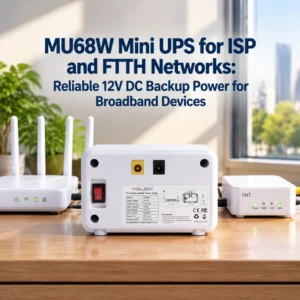
12V DC Backup
12V is common among many routers, gateways and communications devices.
For a compatible 12V device, the integrator should confirm:
Voltage → required current → connector → backup duration → installation conditions
before selecting a backup unit.
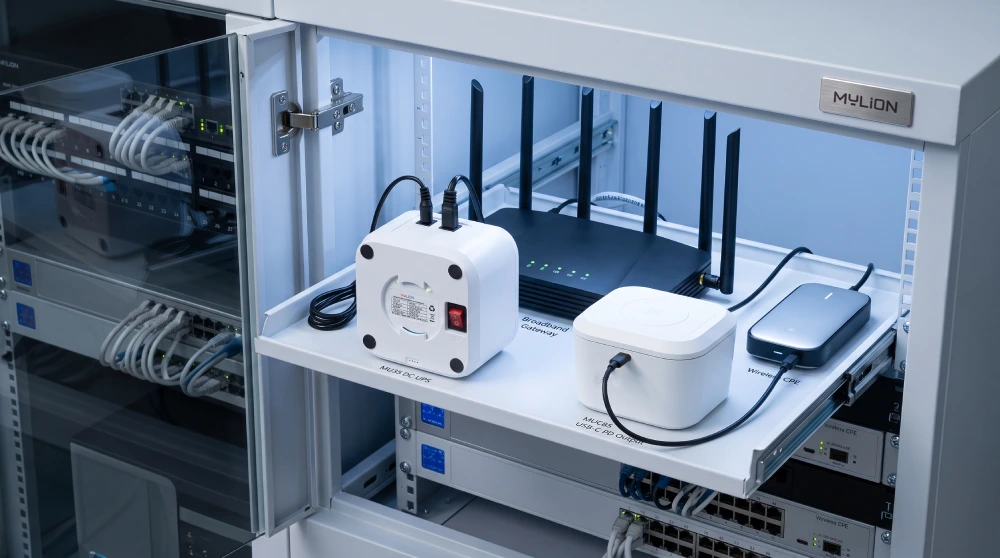
MYLION offers different 12V Mini UPS options for network applications.
Higher-Power 12V Devices
Some gateways, advanced routers and CPE require greater output capability than basic low-power networking equipment.
In these cases, using a standard low-current Mini UPS simply because it provides 12V would be inappropriate.
MYLION positions the MU35W within its high-power 12V network backup solution range, with a published 12V/5A maximum output configuration.
Actual device compatibility must still be verified before project deployment.
USB-C PD Network Devices
Some newer routers, gateways and CPE use USB-C Power Delivery.
USB-C compatibility depends on more than the connector. The required PD power profile must also match.
MYLION’s MUC85 is positioned as a USB-C PD backup solution for compatible routers, gateways and CPE, with the current product page specifying up to 65W USB-C PD input/output.
For project evaluation, the PD requirements of the connected device should be confirmed before selection.
24V and 48V Network Equipment
Some wireless CPE, radio, bridge and specialist network equipment use 24V or 48V.
These applications require a different backup solution from standard 12V router backup.
MYLION positions the MU248 for selected 24V and 48V telecom and network applications.
Where Can Mini DC UPS Fit Within a Smart Building?
A Mini DC UPS should not be treated as a replacement for the entire building backup system.
Its role is usually more specific:
providing local backup for compatible distributed network devices.
Typical applications may include:
Broadband and WAN Edge Equipment
A router, gateway, ONT or CPE may form part of the connection between a building and an external communications network.
Providing suitable local backup can help prevent a local power interruption from immediately disabling the endpoint.
Distributed Network Gateways
A smart building may use gateways to connect remote systems or devices to a central network.
Where those gateways use compatible low-voltage DC power, local backup can be evaluated as part of the network-resilience design.
Wireless Network Equipment
Selected wireless CPE and communication equipment may be deployed away from the main communications room.
Distributed backup may be more practical than extending a centralised AC UPS circuit to every endpoint.
Small Network Equipment
Some switches, communication terminals and other network equipment may also be suitable for DC backup.
Compatibility must always be checked against the actual device specification.
MYLION DC Backup Options for Network Projects
MYLION develops Mini UPS and DC backup solutions for telecom, ISP and network deployment applications.
Different models address different voltage, power and interface requirements.
Project Requirement | MYLION Direction |
Standard compatible 12V network device | MU68 Mini DC UPS |
Higher-power compatible 12V equipment | MU35 Mini DC UPS |
USB-C PD network device | MUC85 Mini UPS |
Selected 24V / 48V network equipment | MU248 |
Other project-specific requirements | Model evaluation / customised solution |
These examples should be treated as selection directions, not universal compatibility claims.
For each smart-building network project, device voltage, current, connector, target runtime and installation environment should be reviewed first.
FAQ
Q1: What is the best DC backup power option for smart building network devices?
Q2: Can a Mini DC UPS be used for a router or gateway in a smart building?
Q3: Should I choose a 12V or 24V DC UPS?
Q4: Can one DC UPS power several network devices?
Q5: Is DC backup more suitable than an AC UPS for network equipment?
Q6: What information should a system integrator provide before selecting a Mini UPS?
Q7: Can MYLION support project evaluation before bulk deployment?
Conclusion
Backup power for a smart building should not be treated as a single product decision. Different parts of the building may require different resilience architectures.
Central AC UPS systems can protect larger equipment groups. Industrial DC UPS systems can support control and automation infrastructure.
Mini DC UPS solutions can address selected low-voltage network endpoints such as compatible routers, gateways, CPE and communication devices. For distributed network infrastructure, the result may be a compact DC backup solution rather than a conventional central UPS.
 English
  简体中文
简体中文  Deutsch
  Français
  Italiano
  Español