
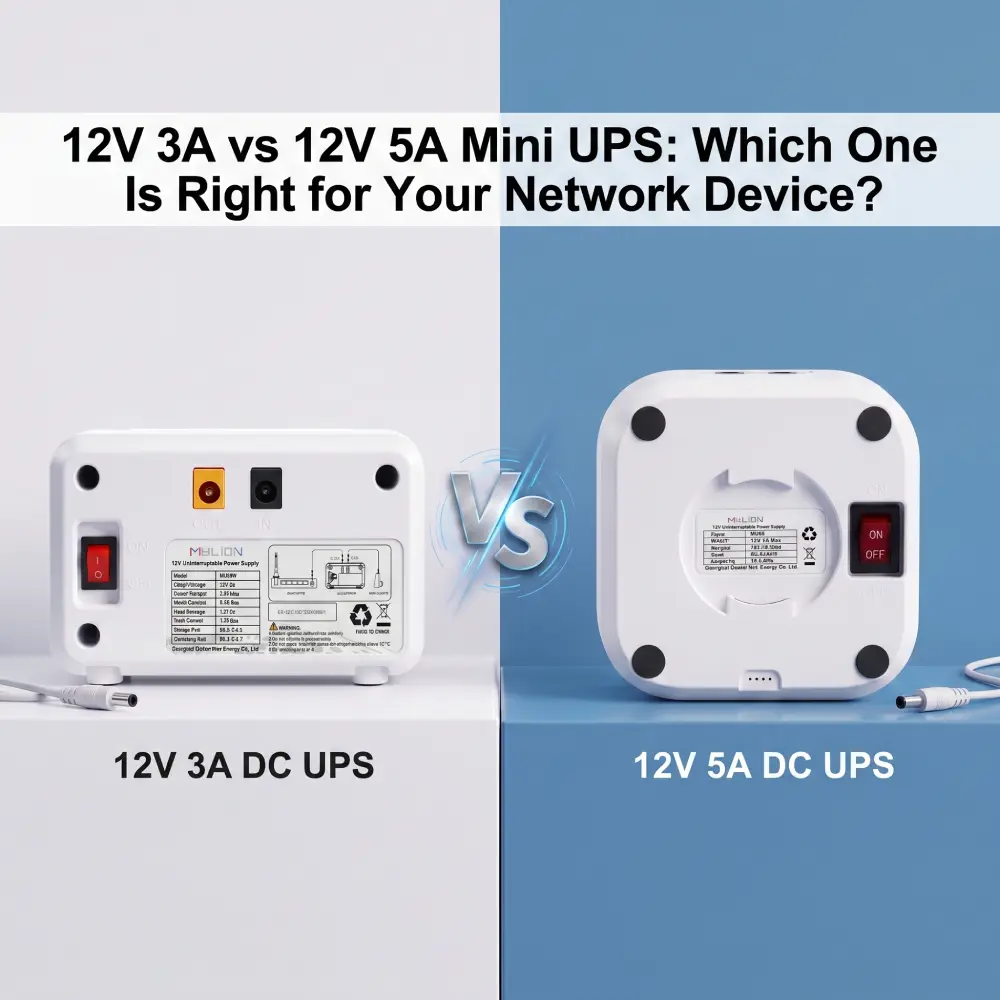
For Telecom providers and ISPs, ensuring uninterrupted power to edge devices is not merely a hardware choice—it is a critical factor in maintaining SLAs, preventing customer churn, and controlling OpEx. When designing or upgrading network infrastructure, procuring the correct Mini UPS for CPE, ONTs, and high-performance routers is paramount.
A frequent point of friction in procurement and deployment is choosing between a 12V 3A and a 12V 5A Mini DC UPS. While they may appear similar in form factor, the difference in output capacity directly dictates network stability under peak loads. Choosing the wrong Mini UPS model can lead to shorter runtime, unstable operation, device reboot during outage, or unnecessary extra cost.
This comprehensive guide breaks down the technical parameters, deployment scenarios, and strategic implications of choosing the right Mini UPS solution for your infrastructure.
What Does 12V 3A or 12V 5A Actually Mean?
At a fundamental electrical level, these specifications define the maximum power output a Mini UPS can safely deliver to a connected device without triggering its internal protection circuits or suffering a voltage drop.
- Voltage (12V):This represents the electrical pressure. Both units deliver 12 Volts, which is the industry standard for the vast majority of networking hardware, including routers, modems, and ONTs.
- Amperage (3A vs. 5A):This represents the electrical current—the volume of electricity flowing to the device.
- Total Power Output (Wattage):By multiplying Voltage and Amperage, we determine the maximum power capacity.
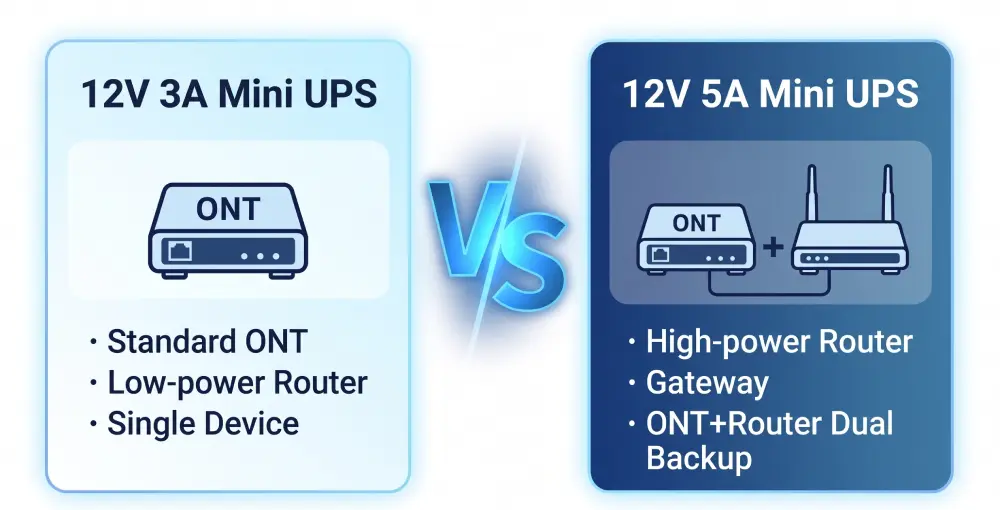
A 12V 3A Mini UPS delivers up to 36 Watts of continuous power.
A 12V 5A Mini UPS delivers up to 60 Watts of continuous power.
This means the 12V 5A model can support higher-power devices or more demanding load conditions. However, that does not automatically mean it is always the better choice.If the connected device only needs low to moderate power, a 12V 3A Mini UPS may be more appropriate, more compact, and more cost-effective.
Of course, the power supply must be able to provide at least the same current as the device requires. The device will only consume the current it needs; connecting a 2A router to a 5A Mini UPS is completely safe, but connecting a 5A router to a 3A Mini UPS will cause the device to immediately stop operating.
Why is the output current crucial when choosing a Mini UPS?
Many buyers select a Mini UPS by looking only at voltage and battery size. That is not enough. Even if both models use similar battery chemistry, the output current capability affects whether the Mini UPS can actually support the device properly.
The Dangers of Current Starvation (Under-provisioning):
If a network device requires 4.5A during peak operation but is connected to a 12V 3A Mini UPS, the UPS cannot supply the requested power. This results in voltage droop. The 12V line will drop significantly (often below 10V), causing the connected router or ONT to experience a “brownout.”
- Continuous Reboot Loops:The device attempts to boot, draws peak current, crashes due to low voltage, and restarts.
- Flash Memory Corruption:Sudden power starvation during firmware updates or heavy data writing can corrupt the device’s memory, permanently bricking the hardware.
- SLA Penalties:Every offline edge device triggers support tickets. For ISPs, insufficient current causing disconnection will result in a SLA penalty.
When a 12V 3A Mini UPS Is Usually Suitable
The 12V 3A Mini UPS is the workhorse of standard, mass-scale ISP deployments. It provides an optimal balance of cost-efficiency and reliable power for low-to-medium draw devices.
Typical deployment scenarios include:
- Standard Residential ONTs:Basic FTTH terminals usually consume between 10W and 18W.
- Mainstream Wi-Fi 5 / Wi-Fi 6 Routers:Consumer-grade routers operating on dual bands without massive CPU overhead typically draw under 2A (24W).
- Smart Home Gateways & IoT Hubs:Low-power Zigbee/Z-Wave hubs and basic security camera DVRs.
- Single-Device Terminals:POS systems or standalone biometric access controllers.
This type of Mini UPS is usually a good fit when:
- the device voltage is 12V
- the current requirement is comfortably within 3A
- the startup current is not too high
- the deployment is focused on one device
- the project prefers a compact and cost-effective solution
For massive rollouts where cost per unit is strictly controlled, and the hardware ecosystem is standardized around low-power CPEs.The 12V 3A Mini UPS model is the ideal choice to minimize CapEx while ensuring network resilience during grid outages.
When a 12V 5A Mini UPS Is Usually More Suitable
The 12V 5A Mini UPS is engineered for high-performance, enterprise-grade, and next-generation networking equipment. As bandwidth increases, so does the thermal and power envelope of edge devices.
Typical deployment scenarios include:
- Wi-Fi 6E and Wi-Fi 7 Routers:These modern access points feature powerful quad-core processors, active cooling fans, and multiple high-gain antennas, frequently demanding 3A to 4.5A under heavy concurrent traffic.
- Enterprise Branch Office Gateways:Unified Threat Management (UTM) firewalls and VPN gateways require robust power to sustain heavy packet inspection.
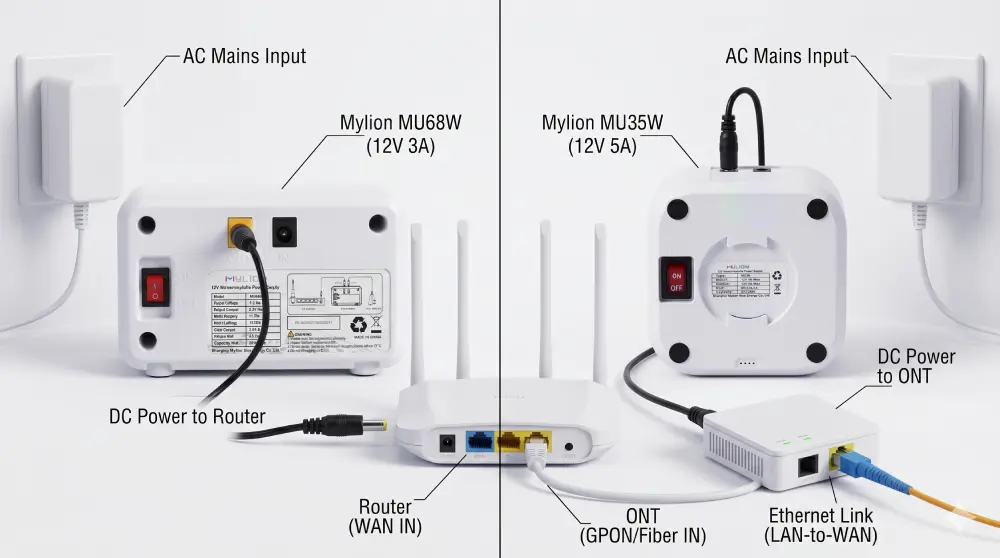
- Multi-Device Deployments:Powering a modem/ONT and a router simultaneously from a single UPS via a splitter cable requires higher total amperage.
- PoE (Power over Ethernet) Injectors:Routers supplying PoE to downstream security cameras or VoIP phones experience significantly higher power draws.
This type of Mini UPS is usually a better fit when:
- the total load approaches or exceeds the comfortable range of 12V 3A
- the router or gateway has higher power demand
- the backup solution must support two devices at the same time
- the application needs more output margin for stable field use
Choosing a 12V 5A Mini UPS guarantees headroom. It future-proofs the infrastructure, ensuring that when an ISP upgrades a client from a basic Wi-Fi 5 router to a high-draw Wi-Fi 7 router, the existing backup power solution does not need to be replaced.
Key Factors to Check Before Choosing 12V 3A or 12V 5A
- Device Rated Voltage
Make sure the device requires 12V DC input.If the device uses another voltage, neither 12V 3A nor 12V 5A is the right solution.
- Operating Current
Check the real operating current of the device, not only the adapter label. A device shipped with a 12V 3A adapter does not always consume 3A continuously, but the label still provides an important reference.
- Connector type
The industry standard for 12V network devices is the 5.5×2.1mm or 5.5×2.5mm DC barrel jack. Mylion mini UPS units use these standard connectors and can provide Y-cables for powering multiple devices from one output.
- Required Backup Time
Once the device can be powered correctly, then evaluate how much battery capacity is needed to meet the backup time target.
12V 3A vs 12V 5A in Common Broadband Scenarios
Scenario | Typical Power Need | Recommended Mylion Series |
Single standard router | 6–12W / 0.5–1.0A | 12V 3A (MU48 / MU68) |
Single high-performance router | 15–30W / 1.25–2.5A | 12V 5A (MU35 / MU05) |
Basic ONT (fiber modem) only | 5–10W / 0.4–0.8A | 12V 3A (MU48 / MU68) |
Router + ONT + switch (home office) | 20–35W / 1.7–3.0A | 12V 5A (MU35) |
Router + ONT + CCTV camera(s) | 25–45W / 2.1–3.8A | 12V 5A (MU35) |
5G gateway / CPE + router | 30–50W / 2.5–4.2A | 12V 5A (MU35) |
ISP / telecom field deployment | Varies (project-specific) | Consult Mylion OEM team |
How MYLION Supports 12V 3A and 12V 5A Applications
Mylion builds its mini UPS solutions specifically for real-world network environments. Both the 12V 3A and 12V 5A series incorporate engineering decisions that matter for reliability.
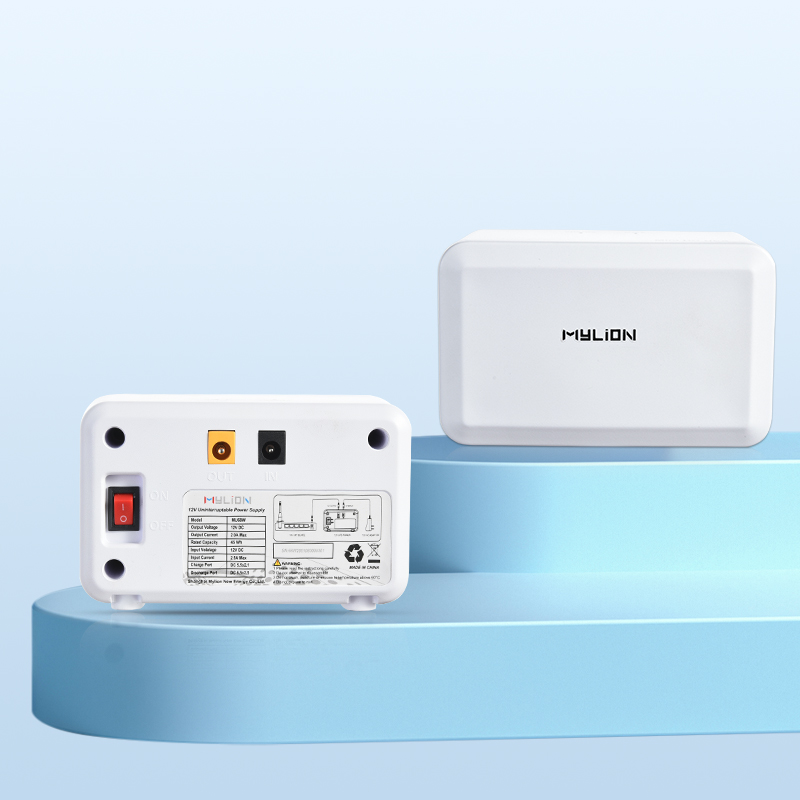
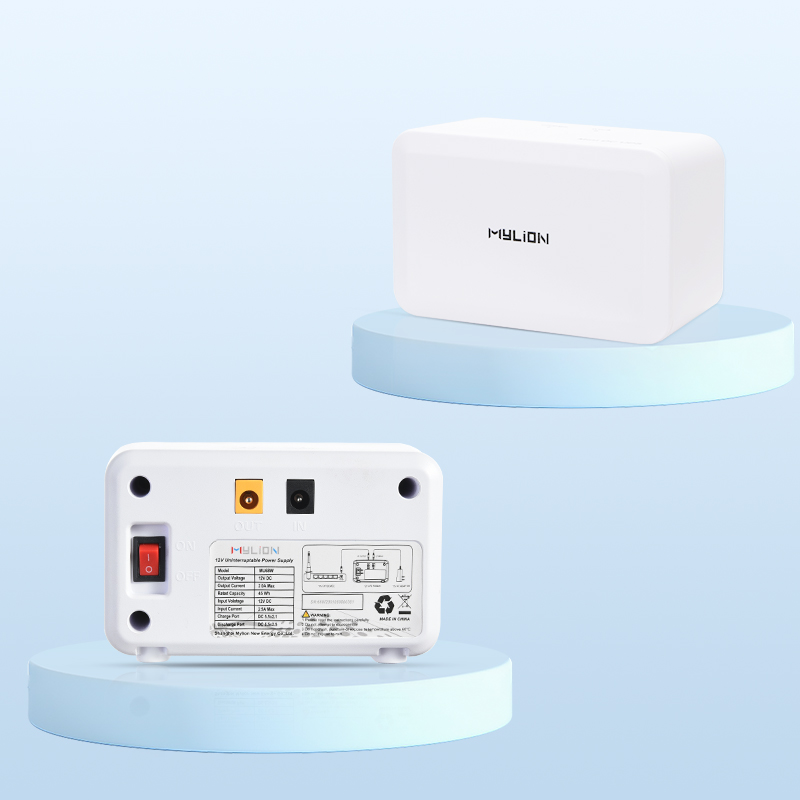
Mylion 12V 3A mini UPS series has been specially optimized for large-scale ISP purchases. It uses high-quality A-grade lithium battery cells, which can provide stable power for standard ONTs and routers, effectively solving the problem of restart caused by sudden voltage drops.
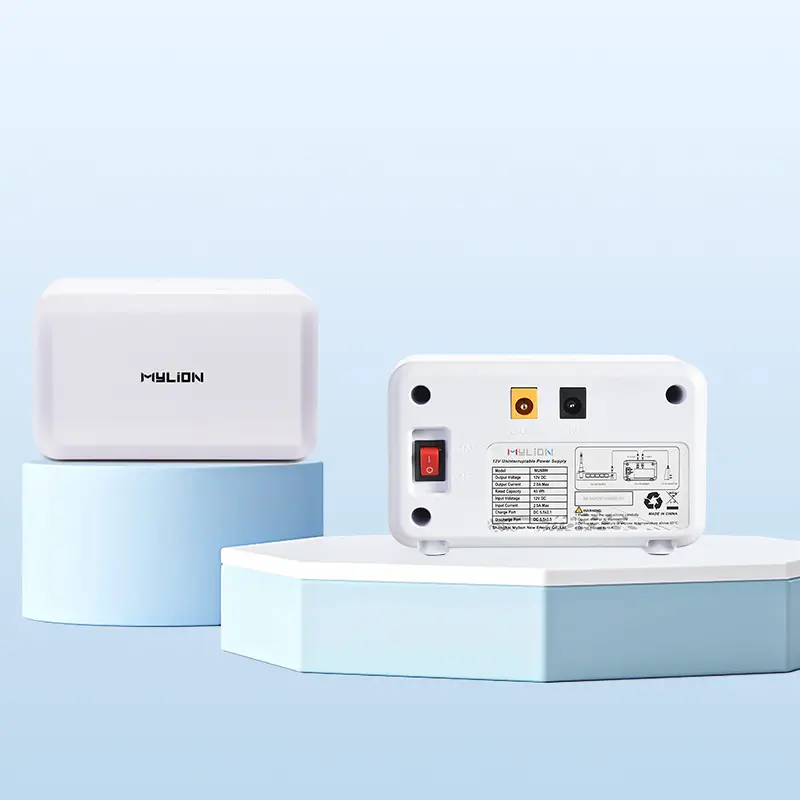
12V 3A MU26 Mini UPS
12V 5A MU48 Mini UPS
12V 3A MU68 Mini UPS
For high-demand edge infrastructure, Mylion 12V 5A MINI UPS series offers stable output. With outstanding heat management and battery management system (BMS), this series can safely support multiple devices, PoE power supplies, and next-generation Wi-Fi 7 enterprise-level hardware.
- MU35 12V 5A Mini UPS
- MU65 12V 5A Mini UPS
- MU05 12V 5A Mini UPS
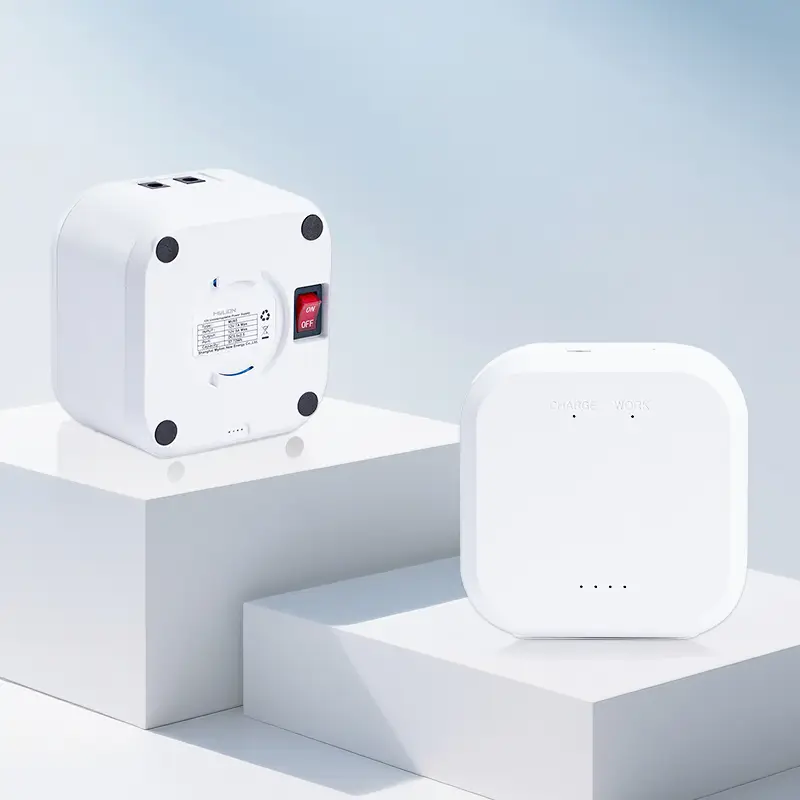
12V 5A MU35 Mini UPS
12V 5A MU65 Mini UPS
12V 5A MU05 Mini UPS
Mylion’s Advantages
With over 15 years of lithium battery design and manufacturing experience, Mylion brings distinct advantages to the mini UPS market.
- Premium Lithium Cell Architecture:We exclusively utilize high-cycle-life lithium cells, drastically extending the replacement interval compared to standard consumer-grade UPS units.
- Intelligent BMS Protection:Our proprietary Battery Management System provides industrial-grade protection against over-charge, over-discharge, short circuits, and thermal overloads, safeguarding both the UPS and your expensive network hardware.
- Global Compliance:Mylion products are rigorously tested and certified (CE, FCC, RoHS), ensuring seamless import and compliance for EU, US, and global telecom markets.
FAQ
Q1: Is 12V 5A always better than 12V 3A?
No. It supports higher output current, but it is not automatically better for every application. The right choice depends on device load and deployment needs.
Q2: Can a 12V 3A Mini UPS support a router?
Yes, if the router power requirement is within the output capability and the startup load is not too high.
Q3: Can a 12V 3A Mini UPS support both ONT and router?
Sometimes, but it depends on the combined load. In many dual-device backup cases, 12V 5A is a safer choice.
Q4: Does 12V 5A mean longer backup time?
Not necessarily. Backup time depends mainly on battery capacity and actual load, not only on current rating.
Q5: Why is startup current important?
Because some devices draw more current when starting up. If the Mini UPS cannot handle it, the device may reboot or fail to stay online.
Q6: What should ISPs check before choosing between 12V 3A and 12V 5A?
They should check voltage, operating current, peak current, actual load, backup time target, and whether the application is single-device or dual-device.
Conclusion
Choosing between a 12V 3A and a 12V 5A Mini DC UPS is a critical infrastructural decision. The 12V 3A model remains the cost-effective champion for standard residential CPEs and mass ISP rollouts.
However, as network hardware evolves to support multi-gigabit speeds, edge computing, and Wi-Fi 7, the 12V 5A Mini UPS is rapidly becoming the mandatory standard to prevent power-starvation, hardware failure, and SLA breaches.
By choosing right Mini UPS solution, you secure network uptime, eliminate unnecessary maintenance dispatches, and optimize your overall hardware lifecycle.

 English
  简体中文
简体中文  Deutsch
  Français
  Italiano
  Español